• Messaging on Your Terms: Turning Off Read Receipts in Android

    In the age of instant communication, read receipts have become a common feature in messaging apps. These little indicators let you know when your message has been read, but sometimes, you might want a bit more privacy or control over your messaging experience. If you’re an Android user and use Google Messages as your default messaging app, you’re in luck! You can easily turn off read receipts to enjoy a more discreet conversation. In this comprehensive guide, we’ll walk you through the process of disabling read receipts in Google Messages.

    Photo: user18526052 on freepik.com

    What Are Read Receipts?

    Read receipts are notifications that inform the sender when a recipient has read their message. They are a double-edged sword, providing transparency and convenience to some and privacy concerns to others. Disabling read receipts allows you to read messages without the sender knowing, which can be especially helpful in various situations.

    Google Messages is a popular messaging app for Android users, and it offers read receipts as a feature. However, Google understands that user preferences vary, so they provide an easy way to turn off read receipts. We’ll delve into the step-by-step process using the official Google support page and other reliable sources.

    Step 1: Open Google Messages

    The first step to disabling read receipts in Google Messages is to open the app itself. If you don’t have it installed, you can download it from the Google Play Store.

    Step 2: Access the App Settings

    Once you’re inside Google Messages, tap the three horizontal lines in the top left corner to access the app’s menu. This menu allows you to navigate through various settings and features.

    Step 3: Go to Settings

    In the menu, you’ll find an option labeled “Settings.” Tap on this option to access the settings for Google Messages.

    Step 4: Select “Chat Features”

    Within the Settings menu, scroll down until you find “Chat Features.” This is the section where you can manage features related to your chat conversations, including read receipts.

    Step 5: Disable “Send Read Receipts”

    In the “Chat Features” section, you’ll see an option called “Send Read Receipts.” To turn off read receipts, simply tap the toggle switch next to this option. When it’s switched to the off position, Google Messages will no longer send read receipts to your contacts.

    Step 6: Confirm Your Choice

    After you’ve disabled read receipts, Google Messages will likely ask you to confirm your choice. This is a standard security measure to ensure that you intentionally made this change. Confirm your selection, and you’re all set.

    Step 7: Enjoy Your Privacy

    With “Send Read Receipts” disabled, you can now enjoy a more private messaging experience in Google Messages. Your contacts will no longer receive read receipts when you view their messages, giving you more control over your interactions.

    Additional Information and Tips

    • Group Chats: It’s important to note that turning off read receipts will apply to all your conversations, including group chats. If you’re in a group chat and turn off read receipts, none of the participants will see when you’ve read their messages.
    • Compatibility: The ability to disable read receipts is dependent on the compatibility of the messaging service. While Google Messages allows you to turn them off, other messaging apps may or may not offer this feature. It’s important to check the settings of the specific app you’re using.
    • Notification Settings: You can further customize your notification settings within Google Messages to control how and when you’re alerted about new messages. These settings can help you maintain your privacy while still being aware of incoming messages.
    • Compatibility with RCS: Google Messages uses Rich Communication Services (RCS) for enhanced messaging features. RCS enables read receipts and other features. To disable read receipts, you must ensure that RCS is enabled. If you’re using an older Android device or have disabled RCS, you might not see the “Send Read Receipts” option.

    Frequently Asked Questions

    Now, let’s delve deeper into some frequently asked questions about turning off read receipts in Google Messages to provide you with a clearer understanding of the topic.

    What are the benefits of turning off read receipts?

    Turning off read receipts can offer several advantages, including:

    • Enhanced Privacy: Disabling read receipts allows you to read messages without the sender being notified, giving you more control over your privacy and the timing of your responses.
    • Reduced Pressure to Respond Immediately: With read receipts turned off, you’re not expected to reply instantly, reducing the pressure to be constantly available and responsive.
    • Discreet Messaging: You can read messages discreetly without the sender knowing when or if you’ve seen their message, which can be particularly helpful in various situations.

    Can I turn off read receipts in all messaging apps?

    No, the availability of the option to turn off read receipts can vary depending on the messaging app you’re using. While Google Messages provides this feature, other messaging apps may not. It’s essential to check the settings of the specific app you’re using to see if this option is available. The process for disabling read receipts may differ from one app to another.

    Can I disable read receipts in group chats?

    Yes, when you disable read receipts in Google Messages, it applies to all your conversations, including group chats. None of the participants in the group chat will see when you’ve read their messages. This means that you can maintain consistency in your messaging privacy across all types of conversations.

    Can I still know when others have read my messages if I turn off read receipts?

    No, if you turn off read receipts, you won’t receive read receipts from others either. Disabling read receipts is a mutual setting that affects both outgoing and incoming read receipts. It’s important to note that this setting is reciprocal, so if you choose not to share your read receipts, you also won’t receive them from your contacts. This ensures a level of fairness and privacy in your messaging interactions.

    Turning off read receipts in Google Messages provides you with privacy and control over your messaging experience, reducing the pressure to respond immediately, and allowing you to read messages discreetly. However, it’s crucial to keep in mind that the availability of this feature may vary depending on the messaging app you use, and disabling read receipts affects both outgoing and incoming read receipts, maintaining a level of privacy and fairness in your conversations.

    Conclusion

    Read receipts can be a useful feature for some, but for others, they can be intrusive and add pressure to respond promptly. Android users who prefer a more discreet and private messaging experience can easily turn off read receipts in Google Messages. By following the steps outlined in this guide, you can regain control over your conversations and enjoy greater privacy when communicating with friends, family, and colleagues.

    Remember that your ability to disable read receipts may depend on the messaging app you use and whether it supports this feature. In the case of Google Messages, turning off read receipts is straightforward and can be done in a matter of seconds, providing you with a more personalized and comfortable messaging experience.


  • Gmail Email Overload? Learn How to Unsubscribe in Bulk and Regain Control

    In today’s digital age, email has become an indispensable communication tool. However, the sheer volume of emails received daily can lead to a state of email overload, causing individuals to feel overwhelmed by the constant influx of messages. This inundation of emails can blur the lines between personal and professional life and make it challenging to locate essential correspondence. As a result, many people find themselves grappling with increased stress levels and reduced efficiency, both at work and in their personal lives.

    Photo: rawpixel-com on freepik.com

    Emails have become an integral part of our daily communication and information-sharing. However, the constant influx of promotional emails, newsletters, and other subscriptions can clutter your inbox and be quite overwhelming. If you’re using Gmail as your email platform, you’ll be pleased to know that there are efficient ways to declutter your inbox by unsubscribing from unwanted emails in bulk. In this comprehensive guide, we will explore the various methods and tools available to help you streamline your email subscriptions on Gmail.

    1. The Traditional Method: Unsubscribe Manually

    Before delving into more efficient ways to unsubscribe from emails in bulk, it’s essential to understand how to do it manually. This method is best suited for individuals who have a manageable number of subscriptions or prefer a hands-on approach. Here’s how you can manually unsubscribe from unwanted emails in Gmail:

    • Open Gmail and navigate to your inbox.
    • Locate the email from the sender you want to unsubscribe from.
    • Open the email and look for the “Unsubscribe” or “Unsubscribe from this list” link, usually found in the footer of the email.
    • Click on the unsubscribe link, and you will be redirected to the sender’s unsubscribe page.
    • Follow the instructions on the sender’s page to complete the unsubscribe process.
    • Return to your Gmail inbox and mark the email as spam to prevent future emails from the same sender.

    While the manual method works well for a few subscriptions, it can become tedious and time-consuming if you have a substantial number of unwanted emails. That’s where bulk unsubscribe methods and tools come in handy.

    2. Unsubscribe in Bulk with Gmail’s Built-In Tools

    Gmail offers some built-in features that can help you manage and unsubscribe from multiple emails in a more efficient manner. Here’s how to use these tools:

    a. The “Unsubscribe” Option

    Gmail has a feature that identifies promotional emails and places an “Unsubscribe” link at the top of the email, right next to the sender’s email address. You can unsubscribe from the sender by clicking on this link, and Gmail will initiate the process on your behalf. However, this feature may not be available for all promotional emails, as it depends on the sender’s setup.

    b. Search and Delete

    Another way to manage bulk unsubscribes is by using Gmail’s search and filter functions. Follow these steps:

    • In the Gmail search bar, enter keywords related to the emails you want to unsubscribe from, such as “newsletters,” “promotions,” or the sender’s name.
    • Gmail will display all the emails matching your search criteria.
    • Select all the emails you want to unsubscribe from by clicking the checkbox next to the sender’s name.
    • Click the “Delete” button to remove these emails from your inbox. Gmail will also ask if you want to unsubscribe from these senders, to which you can respond affirmatively.

    While these built-in tools can help you manage your subscriptions, they might not be the most efficient way to handle a large number of emails. To truly streamline the process, consider using third-party tools and extensions.

    3. Streamlining Unsubscribes with Third-Party Tools

    Several third-party tools and extensions can significantly simplify the process of unsubscribing from emails in bulk. Two popular options are “Clean Email” and the “Gmail Unsubscribe – Bulk Email” extension, which can be found in the Chrome Web Store.

    a. Clean Email

    Clean Email is an online service that provides various features for email management, including unsubscribing from emails in bulk. Here’s how to use Clean Email for unsubscribes:

    • Visit the Clean Email website at https://clean.email/ and sign up for an account.
    • Connect your Gmail account to Clean Email by granting the necessary permissions.
    • Once your Gmail is connected, Clean Email will automatically analyze your inbox and categorize your emails, making it easy to identify newsletters and promotional emails.
    • Select the emails you want to unsubscribe from by checking the corresponding boxes.
    • Click the “Unsubscribe” button, and Clean Email will initiate the unsubscribe process for you.
    • Clean Email will periodically check your inbox for new subscriptions and help you manage them efficiently.

    Clean Email offers a free trial, and if you find it valuable, you can subscribe to a plan that suits your needs.

    b. Gmail Unsubscribe – Bulk Email Extension

    The “Gmail Unsubscribe – Bulk Email” extension, available on the Chrome Web Store, is another powerful tool for unsubscribing from multiple emails at once. Here’s how to use it:

    • Visit the Chrome Web Store at https://chrome.google.com/webstore/detail/gmail-unsubscribe-bulk-em/jljicfihpdcimopabpijdhhjbmenjala.
    • Click “Add to Chrome” to install the extension.
    • Once installed, open Gmail and navigate to your inbox.
    • Select the emails you want to unsubscribe from by checking the corresponding boxes.
    • Click the “Unsubscribe” button that appears in the Gmail toolbar.
    • The extension will automatically process your unsubscribe requests.
    • Review the list of senders you unsubscribed from and confirm the actions.
    • Gmail Unsubscribe will help you avoid future emails from the senders you unsubscribed from.

    This extension simplifies the process of unsubscribing from multiple emails at once, making it a great option for those looking to efficiently declutter their inboxes.

    Conclusion

    Managing your email subscriptions can be a daunting task, especially if you receive numerous promotional emails and newsletters daily. While Gmail provides built-in tools to help you unsubscribe from emails, they may not be the most efficient option for bulk unsubscribes. To streamline the process and save time, consider using third-party tools like Clean Email or the Gmail Unsubscribe – Bulk Email extension.

    Clean Email offers a user-friendly platform that categorizes your emails and makes it easy to identify and unsubscribe from unwanted subscriptions. On the other hand, the Gmail Unsubscribe extension simplifies bulk unsubscribes directly from your Gmail inbox, without the need to visit external websites.

    With these tools at your disposal, you can declutter your inbox, reduce email overload, and regain control over your email subscriptions in Gmail. Whether you choose to unsubscribe manually, use Gmail’s built-in features, or opt for third-party tools, the key is to create an inbox that is clean, organized, and free from unwanted emails.

  • The Enigma of Story with a Lesson in Crossword Puzzles

    Crossword puzzles are a beloved pastime for millions of people worldwide. They offer a delightful challenge, stimulating the brain and providing hours of entertainment. Crossword enthusiasts often encounter clues that span various topics, from history and literature to pop culture and idioms. One intriguing category of crossword clues is “story with a lesson.” In this article, we will delve into the significance of this clue, exploring its meaning, possible answers, and the timeless wisdom it encapsulates.

    Photo: @karolina-grabowska on pexels.com

    The Significance of “Story with a Lesson”

    In the realm of crossword puzzles, clues can take many forms. They can be straightforward definitions, cryptic wordplay, or, as in this case, references to stories with a lesson. These clues are more than just word games; they offer a glimpse into the world of parables, fables, and allegories.

    “Story with a lesson” crossword clues often lead solvers to uncover narratives that have been used for centuries to impart moral, ethical, or practical lessons. These stories are not merely entertaining; they also hold a mirror to our human condition, revealing insights into our behavior and values.

    Exploring the Classic Fables

    One of the most famous collections of stories with lessons is Aesop’s Fables. These ancient tales date back to ancient Greece and are attributed to Aesop, a storyteller and slave. His fables use animals as characters to convey moral lessons, making them accessible to people of all ages. Each of Aesop’s fables is concise but rich in wisdom. For example, “The Tortoise and the Hare” teaches the importance of persistence and patience, showing that slow and steady wins the race.

    Another well-known source of stories with lessons is the Panchatantra, an ancient Indian collection of fables. These tales, written over two thousand years ago, provide insights into human nature, offering guidance on various aspects of life, including leadership, friendship, and wisdom.

    In the realm of Western literature, stories with lessons are not limited to ancient tales. Great authors like Aesop, La Fontaine, and Hans Christian Andersen have created timeless parables and fairy tales that continue to inspire and educate generations.

    Examples of “Story with a Lesson” Crossword Clues

    While the stories themselves are well-known, the crossword clue “story with a lesson” serves as a delightful gateway to these narratives. Solvers may encounter this clue in various crossword puzzles, and it typically contains a set number of letters to guide the answer.

    Here are a few examples of possible answers to the “story with a lesson” crossword clue:

    1. Fable: This is perhaps the most common and straightforward answer to the clue. A fable is a succinct story that features animals or mythical creatures and imparts a moral lesson. These stories are frequently used to teach children about values and ethics. Notable fables include “The Boy Who Cried Wolf” and “The Fox and the Grapes.”

    2. Tale: The term “tale” is a more general answer that encompasses a wide range of narratives. While not all tales explicitly have a moral lesson, many do. Fairy tales, for example, often feature lessons about kindness, bravery, and resourcefulness. “Cinderella” and “Little Red Riding Hood” are classic examples.

    3. Moral: In some crossword puzzles, the answer may be “moral.” This is a direct reference to the lesson or moral message conveyed by a story. While it doesn’t specify a particular story, it indicates that the solver should look for a narrative with a lesson.

    4. Myth: Although myths often involve gods, heroes, and supernatural elements, they frequently contain moral or cultural lessons. For example, Greek myths explore themes of hubris, fate, and the consequences of one’s actions.

    5. Allegory: An allegory is a narrative in which characters and events symbolize abstract ideas or concepts. Many allegories are intended to convey a lesson or moral. “Animal Farm” by George Orwell, for instance, is an allegory that critiques totalitarianism and the corruption of power.

    The Timeless Wisdom of Stories with Lessons

    The enduring appeal of stories with lessons lies in their ability to convey wisdom and truths that transcend time and culture. These narratives have been passed down through generations, remaining relevant because the lessons they teach are universal.

    One of the key attributes of stories with lessons is their versatility. They can be applied to various aspects of life, making them valuable tools for teaching and reflection. Teachers often use fables and parables to impart ethical values to their students. Similarly, parents share these stories with their children to instill essential life lessons.

    These stories offer a window into the complexities of human nature, exploring themes such as greed, kindness, honesty, and perseverance. By presenting these themes through engaging narratives, they make it easier for readers and listeners to internalize the lessons they convey.

    Lessons in Literature

    Literary works that fall under the “story with a lesson” category extend beyond fables and folklore. Novels, short stories, and plays also frequently incorporate moral or ethical lessons.

    Consider Charles Dickens’ “A Christmas Carol.” This classic novella tells the story of Ebenezer Scrooge, a miserly old man who undergoes a transformation after encountering the ghosts of Christmas Past, Present, and Yet to Come. The story serves as a powerful reminder of the importance of generosity, compassion, and the value of human connection.

    Another example is Harper Lee’s “To Kill a Mockingbird.” This novel explores themes of racial injustice and moral growth through the experiences of a young girl, Scout Finch, and her father, Atticus. It challenges readers to confront their own biases and preconceptions.

    In the realm of science fiction, Ray Bradbury’s “Fahrenheit 451” serves as a cautionary tale about the dangers of censorship and the importance of preserving knowledge. While not a traditional fable, it conveys a powerful message about the value of literature and intellectual freedom.

    Incorporating “Story with a Lesson” into Crossword Puzzles

    The inclusion of “story with a lesson” crossword clues in puzzles adds an educational and cultural dimension to the game. It encourages solvers to think beyond simple word associations and prompts them to explore the depths of literature, culture, and philosophy.

    For crossword enthusiasts, it’s essential to have a diverse vocabulary and a broad knowledge base. These clues demand not only a command of language but also a familiarity with the classic tales and lessons that have shaped human thought and behavior throughout history.

    Incorporating “story with a lesson” clues can be a creative and enjoyable way for crossword creators to challenge solvers. The answers to these clues often trigger a sense of recognition and nostalgia, as they draw on stories and lessons that many of us have encountered in our formative years.

    Cherishing the Timeless Appeal of Stories with Lessons

    The enduring popularity of stories with lessons, whether in the form of fables, fairy tales, or novels, highlights their ability to resonate with readers of all ages. These narratives continue to shape our understanding of morality, ethics, and human behavior, offering guidance in a complex world.

    As crossword puzzles continue to be a beloved source of entertainment and mental exercise, “story with a lesson” clues play a crucial role in introducing solvers to the rich tapestry of human wisdom encapsulated in literature, folklore, and philosophy.

    In conclusion, the “story with a lesson” crossword clue serves as a delightful bridge between the world of wordplay and the realm of storytelling. It invites us to explore the treasure trove of narratives that have been shared across generations, carrying invaluable lessons that continue to enrich our lives. Whether it’s Aesop’s fables, classic novels, or timeless myths, these stories remind us of the enduring power of storytelling to educate, inspire, and transform us. So, the next time you encounter this clue in a crossword puzzle, remember that it’s not just a word game; it’s an invitation to delve into the profound lessons that literature and culture have to offer.

  • Do You Need Transcripts to Apply as a Non-Degree Seeking Student?

    The decision to pursue higher education is often met with various considerations and questions, particularly when it comes to the application process. For those who are not aiming for a full degree but are interested in taking individual courses, or perhaps enhancing their knowledge, the question of whether transcripts are required can be perplexing. In this article, we will explore the concept of transcripts, specifically in the context of applying as a non-degree seeking student. We will delve into what transcripts are, whether they are necessary for non-degree studies, and how different institutions and programs may handle this requirement.

    Photo: rawpixel-com on freepik.com

    Knowing about Transcripts

    Before we delve into the specifics of whether transcripts are needed for non-degree seeking students, let’s start with a fundamental understanding of what a transcript is. A transcript is an official document that contains a comprehensive record of a student’s academic performance, including the courses taken, grades received, credits earned, and often additional information like the student’s major, GPA, and the dates of attendance. These records are typically maintained by educational institutions and are used for a variety of purposes, including transferring to other colleges, applying for scholarships, and, most relevant to our discussion, seeking admission to degree or non-degree programs.

    Transcripts are a reflection of your academic history, providing a clear overview of your educational journey. They are issued by the educational institution where you studied and are considered essential when transitioning from one level of education to another or when applying for certain opportunities.

    Do You Need Transcripts as a Non-Degree Seeking Student?

    The necessity of transcripts for non-degree seeking students is not a one-size-fits-all answer. Whether or not you need transcripts when applying as a non-degree seeking student largely depends on the policies of the institution and the specific program you are interested in. Let’s take a closer look at various factors that can influence this requirement.

    • Institutional Policies

    Some colleges and universities have strict policies that require all applicants, regardless of their degree-seeking status, to provide transcripts from their previous educational institutions. This is often the case for schools that have rigorous admission standards and wish to assess the academic background of all incoming students.

    Other institutions may have more lenient policies, allowing non-degree seeking students to apply without submitting transcripts. These schools may prioritize accessibility and encourage lifelong learning by removing the transcript requirement for those not pursuing a degree.

    • Program-Specific Requirements

    Certain courses or programs within an institution may have unique requirements. For instance, non-degree students looking to enroll in graduate-level courses may be asked for transcripts to ensure they meet the prerequisites for those advanced classes.

    On the other hand, certificate programs or individual courses that are open to non-degree students often have more relaxed entry criteria and may not request transcripts.

    • Non-Degree Student Goals

    The purpose of enrolling as a non-degree student can influence the need for transcripts. If your goal is simply to gain knowledge or acquire specific skills and you are not concerned with earning a formal certificate or academic credit, the institution may be less concerned about your previous academic history.

    The Specifics of Non-Degree Studies

    Now that we’ve established that the need for transcripts as a non-degree seeking student can vary, it’s important to understand the nuances of this type of enrollment. Non-degree studies are often chosen by individuals for a variety of reasons:

    1. Skill Enhancement: Some non-degree students are looking to acquire specific skills or knowledge in a particular subject area without pursuing a full degree.

    2. Prerequisite Courses: Others may be preparing for a future degree program and are taking prerequisite courses to ensure they meet the academic requirements.

    3. Exploratory Learning: Some students may simply be interested in exploring a subject or field without committing to a formal degree.

    4. Flexible Learning: Non-degree enrollment can offer the flexibility to take courses part-time or online, making it a more convenient option for many learners.

    Transcripts for Non-Degree Students: Case Studies

    To provide a more comprehensive understanding of the transcript requirement for non-degree seeking students, let’s examine two different cases: one from a general educational institution and the other from a graduate school.

    Case Study 1: Goodwin University

    Goodwin University, a comprehensive educational institution, offers a diverse range of programs, including traditional degrees and non-degree courses. According to their official website, a transcript is defined as an official academic record of the courses taken, grades received, and credits earned during a student’s academic journey.

    For non-degree students at Goodwin University, the need for transcripts may vary depending on the specific program or course. While some courses may not require transcripts, others may. For instance, if you are enrolling in a non-degree course that serves as a prerequisite for a degree program, the institution may request transcripts to ensure you meet the necessary qualifications. On the other hand, individual workshops or short courses may not necessitate transcripts.

    This flexibility allows non-degree students to tailor their educational experience to their goals. If transcripts are required for the course or program you’re interested in, Goodwin University would specify this in their admission requirements.

    Case Study 2: Graduate School Admissions

    Graduate school admissions can be more demanding, as they often have stricter academic requirements. When applying to graduate school as a non-degree seeking student, the use of transcripts becomes more prevalent.

    A Quora thread, linked in the information provided, discusses the need for transcripts from non-degree online courses taken outside of one’s graduating institution when applying to graduate school. The responses on the thread indicate that graduate school admissions often do require transcripts from all previously attended institutions, including those from which non-degree courses were taken. However, this practice can vary from one graduate program to another. Some programs may be more lenient, while others are stringent in their requirements.

    The rationale behind requesting transcripts for graduate school admissions, even for non-degree students, is to assess the applicant’s academic background and ensure that they are adequately prepared for the rigor of graduate-level coursework. Additionally, it helps admissions committees evaluate the applicant’s potential for success in the specific program they are applying to.

    Transcripts: A Key to Academic Assessment

    Transcripts, in most cases, serve as a key tool for academic assessment. They provide essential information about a student’s past academic performance, which is particularly valuable when evaluating eligibility for degree programs. Even for non-degree students, transcripts may be requested to ensure that the students have the necessary foundation to succeed in their chosen courses.

    In cases where transcripts are required, the admissions committee typically reviews them to gauge the student’s academic ability and preparedness for the desired program. This assessment is more important at higher levels of education, such as graduate or postgraduate studies, as the coursework becomes increasingly specialized and demanding.

    Furthermore, transcripts can assist in recognizing prerequisites, determining transfer credit eligibility, and assessing eligibility for scholarships, financial aid, or other academic opportunities. In essence, transcripts serve as a comprehensive record of an individual’s academic history, which can be instrumental in a variety of educational contexts.

    The Non-Degree Seeking Student’s Perspective

    From the perspective of non-degree seeking students, the decision to provide transcripts can be influenced by factors such as convenience, cost, and flexibility. Let’s explore some of the reasons why non-degree students might prefer not to submit transcripts:

    1. Convenience: Obtaining transcripts from previous institutions can be a time-consuming process, and for non-degree students who may be taking courses for personal enrichment or skill development, the added effort of gathering transcripts can be seen as unnecessary.

    2. Cost: Some educational institutions charge fees for issuing transcripts. For non-degree students who are not seeking formal academic credit or a degree, these costs can be burdensome.

    3. Privacy: Non-degree students may be hesitant to share their complete academic history with the institution if it’s not directly relevant to the courses they wish to enroll in. They may value their privacy and prefer not to disclose this information.

    4. Flexibility: Non-degree students often seek the flexibility to explore different subjects and take courses based on their interests. Requiring transcripts may limit this flexibility, as some courses may have prerequisites that the student does not meet.

    The non-degree student’s perspective underscores the need for institutions to strike a balance between assessing academic readiness and accommodating individuals who wish to pursue education for a variety of reasons.

    Conclusion

    The question of whether you need transcripts to apply as a non-degree seeking student does not have a uniform answer. The transcript requirement can vary based on the policies of the educational institution, the specific program you are interested in, and the goals of your non-degree studies.

    In many cases, institutions may require transcripts for non-degree students to assess their academic background and ensure they are adequately prepared for the courses they wish to take. This is especially true for graduate-level courses, which often have stricter admission criteria.

    However, some educational institutions and programs offer flexibility for non-degree students, allowing them to enroll without submitting transcripts. This approach aims to promote lifelong learning and accessibility to education, emphasizing skill development and personal enrichment over formal academic credit.

    Ultimately, if you are considering applying as a non-degree seeking student, it is essential to research the specific requirements of the institution and program you are interested in. This will help you determine whether transcripts are necessary and, if so, the process for obtaining and submitting them.

    As education evolves to meet the diverse needs of learners, the policies surrounding transcript requirements for non-degree students may continue to adapt. With the growth of online learning and alternative education pathways, the discussion around the role of transcripts in evaluating academic readiness will remain a dynamic one, reflecting the evolving landscape of education.

  • Does Bumble Send Read Receipts?

    In today’s digital age, dating apps have become an integral part of how people meet, connect, and build relationships. Bumble is one such popular dating app that has gained significant traction. Among the many features and functionalities it offers, one common question among its users is whether or not Bumble sends read receipts.

    Photo: rawpixel-com on freepik.com

    Read receipts are a handy feature that informs you when your message has been seen by the recipient. While this feature can be found in various messaging apps, the answer regarding Bumble might not be as straightforward as you’d expect. Let’s dive into this topic and uncover the truth about read receipts on Bumble.

    Bumble and Read Receipts: A Closer Look

    • What are Read Receipts?

    Before we delve into whether Bumble incorporates read receipts or not, let’s clarify what read receipts are and why they can be essential in a dating app context. Read receipts are notifications that indicate when a message you’ve sent has been opened or read by the recipient. In dating apps like Bumble, this feature can be valuable for several reasons:

    1. Communication Transparency: Knowing when a message has been seen provides transparency in your conversations, allowing you to gauge the other person’s interest and response time.

    2. Reducing Anxiety: Read receipts can help alleviate the anxiety of waiting for a response. When you see that your message has been read, you can be reasonably assured that the other person is aware of your message.

    3. Avoiding Double Messaging: With read receipts, you can avoid sending additional messages asking if the previous one was received. This helps in maintaining a smooth and respectful conversation.

    4. Fostering Engagement: Read receipts encourage users to respond promptly, as they are aware that their actions are visible to the sender.

    Now, let’s address the question: Does Bumble provide read receipts?

    Bumble and Read Receipts: The Truth

    If you’ve been using Bumble or considering it as a dating platform, you might have come across varying information regarding read receipts on Bumble. To get to the bottom of this, we’ll examine information from a few sources, including Wikihow and a Reddit discussion.

    • Does Bumble Have Read Receipts?

    Bumble does not offer read receipts as an official feature. The article explains that Bumble does not provide users with the ability to see when their messages have been read by the recipient.

    This source is a fairly credible one when it comes to explaining the features of different apps. The fact that Bumble does not have read receipts as an official feature is a clear indication that the app does not incorporate this functionality into its messaging system.

    • Is There an Option to See Read Receipts in Your Bumble Messages?

    Bumble does not have that feature, indicating that read receipts are not part of the Bumble experience. Another user points out that Bumble focuses on empowering women to make the first move, and having read receipts might discourage some users from taking this step, as they may not want the added pressure of knowing their messages are being tracked.

    However, it’s important to note that in the dynamic world of app development, features and functionalities can change over time. To be certain of the current status, it’s advisable to check Bumble’s official documentation or customer support for the most up-to-date information.

    The Implications of No Read Receipts on Bumble

    The absence of read receipts on Bumble has several implications for users of the app. Let’s explore how this impacts the user experience and the dynamics of online dating.

    1. Privacy and Anonymity

    One of the advantages of Bumble’s lack of read receipts is the preservation of user privacy and anonymity. In a world where online harassment and unwanted attention are concerns, not having read receipts can be a relief for those who value their personal space.

    2. Reduced Pressure

    Without the pressure of knowing when a message has been seen, users can communicate more naturally and at their own pace. This might encourage more authentic conversations and reduce the need for immediate responses.

    3. Equality in Communication

    Bumble has a unique feature where women must initiate the conversation. The absence of read receipts aligns with Bumble’s philosophy of promoting equality in communication. With no read receipts, there’s less pressure on the initiating party.

    4. Communication Challenges

    On the flip side, not having read receipts can present some communication challenges. Users might be left wondering whether their messages were ignored or genuinely missed. This ambiguity can sometimes lead to misunderstandings and frustration.

    How to Improve Communication on Bumble

    While Bumble may not offer read receipts as a built-in feature, there are ways to enhance your communication experience on the platform:

    1. Use Clear Communication: Be clear in your messages to avoid misunderstandings. Ask direct questions and express your intentions.

    2. Give Others Time: Not having read receipts means you won’t always know when your messages have been seen. Allow for a reasonable response time before following up.

    3. Utilize Bumble’s Features: Bumble provides features like “SuperSwipes” and “Voice Calls” to help you stand out and connect with potential matches.

    4. Stay Positive: Online dating can be challenging, but maintaining a positive attitude can make the experience more enjoyable.

    5. Communicate Openly: If you have specific preferences or expectations, communicate them openly with your potential matches. Honesty is key to successful online dating.

    Conclusion

    In the world of online dating, clarity and communication are vital. Read receipts can be a useful feature in many messaging apps, but when it comes to Bumble, the platform has opted not to include this functionality. While some users may miss the ability to see when their messages have been read, others appreciate the privacy and reduced pressure that comes with the absence of read receipts.

    Ultimately, the choice of whether to use Bumble or any other dating app should be based on your personal preferences and comfort levels. Whether you prefer the transparency of read receipts or the more relaxed communication style of Bumble, the most important aspect of online dating is to be genuine, respectful, and open to the possibilities it offers.

    In summary, Bumble does not have read receipts as an official feature, which means that users on the platform do not have the ability to see when their messages have been read by their matches. While this feature can offer advantages in terms of communication transparency, it’s important to remember that Bumble’s design philosophy prioritizes privacy, equality, and reduced pressure in its user experience.


  • The Digital Trail of Health: Finding Your Old Medical Records

    Medical records are a treasure trove of information that can provide valuable insights into your health history and treatment. Whether you’re looking to better understand your own medical journey, researching family health history, or seeking crucial information for a lawsuit, accessing old medical records can be a crucial task. In the digital age, the process has become significantly easier, thanks to the availability of online resources.

    Photo: rawpixel-com on freepik.com

    The Importance of Accessing Old Medical Records

    Before we delve into the methods for finding old medical records online, let’s take a moment to understand why it’s so important to have access to these records:

    1. Medical History: Your old medical records can provide a comprehensive history of your health, including diagnoses, treatments, surgeries, and medication prescriptions. This information is valuable for understanding your current health condition and making informed decisions about future healthcare.

    2. Treatment Continuity: Accessing old medical records is especially crucial if you’ve changed healthcare providers or if you’re dealing with a chronic condition. It ensures that your new healthcare provider has all the necessary information to provide seamless care.

    3. Legal Purposes: In some cases, medical records might be needed for legal reasons, such as personal injury claims or disability claims. Having easy access to these records can be crucial for building a case.

    4. Research and Family Health History: Your medical records may hold insights into hereditary conditions, which can be crucial information for your family’s health history. Moreover, researchers often rely on historical medical records for various studies.

    Now that we’ve established the importance of accessing old medical records, let’s explore how to do so efficiently through online resources.

    Method 1: ‘Where Is My Medical Record?’

    One of the easiest ways to find your old medical records online is by using the website ‘whereismymedicalrecord.org.’ This website serves as a comprehensive directory of hospitals, clinics, and healthcare facilities that may have your medical records.

    Step 1: Visit ‘whereismymedicalrecord.org’

    Start by opening your web browser and navigating to ‘whereismymedicalrecord.org.’ The website offers a straightforward and user-friendly interface.

    Step 2: Enter Your Information

    On the website’s homepage, you’ll be prompted to enter specific information about your healthcare provider, including the facility name, city, and state. If you have this information, fill it out to narrow down your search. If not, don’t worry; you can still search more broadly.

    Step 3: Begin Your Search

    After inputting the relevant details, click on the ‘Search’ button. The website will generate a list of healthcare providers matching your criteria.

    Step 4: Contact the Healthcare Provider

    Once you’ve identified the healthcare provider, you can contact them to request access to your old medical records. Keep in mind that the process of obtaining records may vary from one institution to another. Some healthcare providers might require you to fill out a request form, while others might request identification and a release of information authorization.

    ‘Where Is My Medical Record?’ is a powerful tool that simplifies the process of finding healthcare facilities and helps you initiate the record retrieval process. However, not all facilities are listed on this website, so if you can’t locate your provider, you might need to explore other avenues.

    Method 2: The Asthma and Allergy Foundation of America (AAFA)

    The Asthma and Allergy Foundation of America (AAFA) provides valuable resources for accessing your medical records, which can be particularly useful for individuals with a history of asthma or allergies.

    Step 1: Visit the AAFA Website

    Start by visiting the AAFA website. Here, you’ll find a dedicated page that guides you through the process of accessing your medical records.

    Step 2: Understand Your Rights

    The AAFA provides essential information about your rights regarding medical records, ensuring that you are aware of the legal framework governing this process. This information can be particularly helpful if you encounter any resistance when requesting your records.

    Step 3: Contact Your Healthcare Provider

    To initiate the process, you’ll need to contact your healthcare provider. The AAFA provides a sample letter that you can use as a template to request your medical records. This letter should include your name, contact information, and specific details about the records you’re requesting.

    Step 4: Follow Up

    After sending your request, it’s crucial to follow up with your healthcare provider if you don’t receive a response within a reasonable timeframe. The AAFA advises you on how to persist in obtaining your records, ensuring that you have access to the information you need.

    Step 5: Understand Any Associated Costs

    Be prepared for potential costs associated with obtaining your medical records. The AAFA provides information on the fees that healthcare providers are legally allowed to charge for releasing records. Understanding these costs can help you avoid any unexpected expenses.

    The AAFA’s resources are particularly valuable if you have asthma or allergies, but the general principles and steps outlined on their website can be applied to accessing medical records for various health conditions.

    General Tips for Finding Old Medical Records Online

    While the two methods discussed above are powerful tools, here are some additional general tips to help you find old medical records online:

    1. Be Organized: Before you start your search, gather as much information as you can about your past healthcare providers. This includes the facility name, address, and approximate dates of treatment. The more details you have, the easier it will be to find your records.

    2. Check Patient Portals: Many healthcare providers offer online patient portals where you can access your medical records. If you remember the name of the hospital or clinic you visited, it’s worth checking if they have an online portal.

    3. Government and State Resources: Depending on your location, you may have access to state or government-run databases that store medical records. Check with your state’s health department for more information.

    4. Health Information Exchanges: Some regions have health information exchanges that facilitate the sharing of medical records between different healthcare providers. If you’ve moved or received care from various providers, these exchanges could have your records.

    5. HIPAA Regulations: Familiarize yourself with the Health Insurance Portability and Accountability Act (HIPAA), which governs the release of medical records. Knowing your rights and the obligations of healthcare providers can be beneficial when requesting your records.

    Conclusion

    Accessing old medical records online is a valuable endeavor that can provide insights into your health history, aid in ongoing medical treatment, and serve various legal and research purposes. Websites like ‘whereismymedicalrecord.org’ and resources provided by the Asthma and Allergy Foundation of America (AAFA) are excellent starting points for your search. By following the outlined steps and keeping the general tips in mind, you can navigate the process of finding and retrieving your old medical records with confidence. Remember that persistence and organization are key to successfully accessing the wealth of information contained in your medical history, ultimately empowering you to make informed decisions about your health and well-being.


  • How to Check Passport Status by Name

    Obtaining a passport is a crucial step for anyone looking to embark on international travel. Whether you’re planning a vacation or need to travel for business, your passport is your key to crossing borders and exploring new destinations. While applying for a passport is the first step, it’s equally important to keep track of your passport application status to ensure that you receive your travel document in a timely manner.

    Photo: freepik on freepik.com

    In this digital age, checking your passport status has become more convenient than ever before. In this article, we will guide you on how to check your passport status by name, providing step-by-step instructions and valuable information to make the process seamless.

    Why It’s Important to Check Your Passport Status

    Obtaining a passport can be a time-consuming process. The typical passport application process involves submitting your application, supporting documents, and fees, followed by a waiting period during which your application is processed. Various factors, such as the time of year and your location, can affect how long it takes to receive your passport.

    Checking your passport status is crucial for several reasons:

    1. Peace of Mind: Knowing the status of your passport application can provide peace of mind, especially if you have imminent travel plans. It allows you to track your application’s progress and make arrangements accordingly.

    2. Correction of Errors: If there are any issues with your application, such as missing documents or incomplete information, you can address them promptly. This can prevent delays in processing your passport.

    3. Expedited Processing: In some cases, you may be eligible for expedited passport processing, but you need to know the status of your application to determine whether this is necessary.

    4. Planning Ahead: Passport applications can take several weeks to process, so knowing your status well in advance is essential for planning your travel itinerary.

    Now that you understand the importance of monitoring your passport application status, let’s explore how you can do it conveniently.

    How to Check Passport Status by Name

    One of the most straightforward methods for checking your passport application status is by using your name. The U.S. Department of State provides a user-friendly online tool to track your passport status. Here’s a step-by-step guide on how to check your passport status by name:

    Step 1: Gather Your Information

    Before you begin, you’ll need to have the following information ready:

    • Last Name: Your last name or surname as it appears on your passport application.
    • Date of Birth: Your date of birth is used to verify your identity.
    • Last Four Digits of Your Social Security Number (SSN): The last four digits of your SSN are another identity verification measure.

    Step 2: Visit the Official Passport Status Website

    To check your passport status, visit the official U.S. Department of State website. You can find it at [https://travel.state.gov/content/travel/en/passports/need-passport/status.html](https://travel.state.gov/content/travel/en/passports/need-passport/status.html).

    Step 3: Enter Your Information

    Once on the website, you will see a form where you can enter your information. Provide the requested details, including your last name, date of birth, and the last four digits of your SSN.

    Step 4: Submit Your Information

    After entering the required information, click on the “Check Status” or similar button. This will initiate a search for your passport application.

    Step 5: Review Your Passport Status

    The system will search for your application and display your passport status. The status will typically fall into one of the following categories:

    • Not Found: If your information doesn’t match any records, you will see a “Not Found” message. Double-check your information for accuracy and try again.
    • In Process: If your application is still being processed, the system will indicate that it is “In Process.” This means your passport is in the pipeline, and you’ll need to wait for further updates.
    • Approved: When your passport application has been approved and is in the final stages of processing, you’ll see an “Approved” status. This is an exciting sign that your passport is on its way.
    • Mailed: Once your passport has been mailed to you, the status will change to “Mailed.” This means that your passport is en route to your specified address.
    • Other Updates: The system may also provide other updates or instructions if necessary, such as additional document requirements.

    Step 6: Follow Up as Needed

    If you see any issues with your passport status or need additional information, the website may provide contact details or instructions on how to resolve the problem. You can also contact the National Passport Information Center for assistance.

    Checking Passport Status by Phone

    If you prefer to check your passport status by phone, you have that option as well. The U.S. Department of State operates the National Passport Information Center, which can be reached at 1-877-487-2778. Here’s how to check your passport status by phone:

    Step 1: Call the National Passport Information Center

    Dial 1-877-487-2778 to reach the National Passport Information Center. The center’s representatives can assist you in checking your passport status. Make sure you have the same information ready that you would use for the online method: your last name, date of birth, and the last four digits of your SSN.

    Step 2: Follow the Automated Menu

    When you call, you will be guided through an automated menu. Listen to the options and select the one that pertains to checking your passport status. You may need to provide your information using the phone’s keypad.

    Step 3: Speak to a Representative (Optional)

    If you encounter any issues or have specific questions, you can choose to speak to a live representative. They can provide more detailed information and assist with any problems you may be experiencing.

    Step 4: Note Your Passport Status

    Whether you use the automated system or speak to a representative, you will receive information about your passport status. Write down or remember the status for your reference.

    Frequently Asked Questions

    How long does it take to process a passport application?

    The processing time for a passport application can vary depending on factors such as the time of year and the type of service (standard or expedited) you choose. Generally, it can take several weeks to process a standard passport application. Expedited services are available for an additional fee and can significantly reduce processing times.

    Can I check my passport status immediately after submitting the application?

    It’s advisable to wait at least 7-10 business days after submitting your passport application before attempting to check your status. The U.S. Department of State needs time to process and enter your information into the system.

    What if I need my passport urgently?

    If you have urgent travel plans and need your passport quickly, you can request expedited processing. You may also need to visit a regional passport agency in person or use a third-party expedited passport service.

    My passport status says “Mailed.” How long will it take to receive it?

    Once your passport status indicates that it has been “Mailed,” you can generally expect to receive your passport within a few business days. The U.S. Postal Service is typically used for passport delivery.

    What should I do if there are issues with my passport status?

    If you encounter problems or discrepancies with your passport status, you can contact the National Passport Information Center for assistance. They can provide guidance and address any issues you may be experiencing.

    Conclusion

    Checking your passport status by name is a simple and effective way to stay informed about the progress of your passport application. Whether you use the online tool or contact the National Passport Information Center, it’s crucial to have your name, date of birth, and the last four digits of your SSN ready to ensure a smooth experience.

    Remember to check your passport status well in advance of your planned travel dates, as it provides valuable information for making travel arrangements and addressing any potential issues. With the convenience of online tools and phone support, you can keep track of your passport application and look forward to your upcoming international adventures with confidence. Safe travels!

  • A Thorough Manual on Completing the DS-11 Application for a U.S. Passport

    The U.S. passport is more than just a travel document; it represents your citizenship and provides access to the world. Whether you’re a first-time applicant or need to renew your passport, the DS-11 application form is a crucial step in obtaining this essential travel document. In this comprehensive guide, we will explore the DS-11 form, breaking down its components, explaining the application process, and highlighting important details you need to know. By the end of this article, you’ll be well-prepared to successfully complete your DS-11 application for a U.S. passport.

    Photo: freepik on freepik.com

    The DS-11 Form

    The DS-11 form is the official application form for a U.S. passport. This document is provided by the U.S. Department of State, and it is the initial step to either obtain a new passport, replace a lost or stolen passport, renew an expired one, or update your existing passport. The form is available on the U.S. Department of State’s official website, and you can also find it at U.S. embassies and consulates.

    To help you better understand the DS-11 form, let’s break down its key sections:

    1. Personal Information: This section collects basic personal information such as your name, date of birth, and Social Security number.

    2. Address Information: Here, you’ll provide your current mailing address. If you have had a different mailing address in the last three months, you should list it as well.

    3. Contact Information: This section is where you’ll enter your phone number and email address. While these are optional, providing them can be helpful in case the U.S. Department of State needs to contact you regarding your application.

    4. Date and Place of Birth: In this part, you’ll specify your place and date of birth.

    5. Applicant’s Social Security Number: Although it’s optional, providing your Social Security Number helps in the passport application process.

    6. Citizenship: This section deals with your citizenship status. If you acquired U.S. citizenship through naturalization or derivation, you’ll need to specify the relevant details.

    7. Sex and Gender: You’ll specify your sex as male or female and also have the option to mark ‘X’ for gender if it doesn’t fit within the binary male/female categories.

    8. Applicant’s Physique: This part collects information on your height, hair color, eye color, and any identifying marks or tattoos.

    9. Additional Contact Information: Here, you can provide an alternate mailing address in case you’d like your passport to be sent elsewhere.

    10. Employment: This section deals with your employment status. You’ll need to specify your current employer’s information and your occupation.

    11. Emergency Contact Information: You should provide the details of someone to contact in case of an emergency.

    12. Travel Plans: If you have immediate travel plans, you should mention the date of your departure and destination. However, this is optional, and you can apply for a passport even if you don’t have immediate travel plans.

    13. Acknowledgment: This is where you sign and date the form, certifying the truth and accuracy of the information provided. If the applicant is a minor, a parent or legal guardian should sign on their behalf.

    14. Payment Information: You’ll indicate how you will be paying the passport fees, either by check or money order, and provide the payment amount.

    15. Special Issuance Information: This section is for individuals requesting a diplomatic or official passport.

    16. Passport Book and Card Information: If you want to apply for both a passport book and a passport card, you’ll need to check the relevant boxes and provide additional information.

    17. DS-64, Statement Regarding a Lost or Stolen Passport: If your previous passport was lost or stolen, you must complete a DS-64 form and submit it along with your DS-11 application.

    18. Passport Photo: You’ll attach one passport photo that meets the U.S. Department of State’s specifications. It must be a recent, color photo that shows your full face, with a neutral facial expression, on a white or off-white background.

    Completing the DS-11 Form

    Filling out the DS-11 form may seem like a lot of information to provide, but it’s essential to ensure the accuracy of your application. Here’s a step-by-step guide to help you complete the form:

    1. Download the Form: Begin by downloading the DS-11 form from the official U.S. Department of State’s website (travel.state.gov). Make sure to use the latest version of the form.

    2. Gather Required Documents: Before you start filling out the form, ensure you have all the necessary documents ready. You’ll need proof of U.S. citizenship (such as a birth certificate or naturalization certificate), proof of identity (a valid government-issued ID or driver’s license), a recent passport photo, and any other supporting documents like a DS-64 if your previous passport was lost or stolen.

    3. Complete the Form: Carefully fill out the DS-11 form. Be sure to write legibly and provide accurate information. Review each section to confirm that everything is filled in correctly.

    4. Photograph: Attach a recent passport photo to the designated space on the form. Make sure the photo meets the U.S. Department of State’s requirements.

    5. Sign and Date: In the acknowledgment section, sign and date the form. If you’re completing the form on behalf of a minor, sign as the parent or legal guardian.

    6. Payment: Determine the appropriate passport fees based on your specific application. Payment can be made by check or money order, payable to the “U.S. Department of State.”

    7. Submit the Application: Once the form is completed, gather all the required documents and the application fee. Be sure to check the official website (travel.state.gov) for the latest fee information. You can then submit your application in one of the following ways:

    • In Person: Visit an official passport acceptance facility, which can include U.S. post offices, county clerk’s offices, and some public libraries. Bring your completed DS-11 form, documents, and payment. You may also be required to make an appointment in advance.
    • U.S. Embassy or Consulate: If you’re applying from abroad, contact the nearest U.S. embassy or consulate for instructions on how to submit your application.
    • Expedited Service: If you need your passport urgently, you can request expedited service for an additional fee. This option is available for both first-time applicants and those renewing their passports.

    8. Proof of Travel: If you have immediate travel plans within 72 hours and need to expedite your application, you must provide proof of travel such as an airline ticket or itinerary.

    9. Track Your Application: After submission, you can track the status of your application online through the U.S. Department of State’s official website. This will help you stay updated on the progress of your passport processing.

    Common Questions and Concerns

    Applying for a U.S. passport can be a straightforward process, but it’s common to have questions or concerns along the way. Here are some frequently asked questions and answers to help you navigate the DS-11 application:

    • Can I fill out the DS-11 form online?

    You cannot fill out the DS-11 form online. However, you can complete the form online and then print it out, or you can obtain a physical copy from a passport acceptance facility.

    • Is the DS-11 form only for first-time applicants?

    No, the DS-11 form is used for various purposes, including first-time applications, renewals, replacements for lost or stolen passports, and updates to existing passports.

    • What is the processing time for a U.S. passport application?

    Processing times can vary, but routine processing typically takes 4-6 weeks. If you need it sooner, you can request expedited service, which takes around 2-3 weeks.

    • Can I expedite my passport application after submitting the DS-11 form?

    Yes, you can request expedited service when submitting your DS-11 application. Be prepared to pay an additional fee for this service.

    • Do I need an appointment to submit my DS-11 application in person?

    Many passport acceptance facilities require appointments, especially in larger cities. Check with the facility you plan to visit for their specific requirements and availability.

    • What should I do if my previous passport was lost or stolen?

    If your previous passport was lost or stolen, you’ll need to complete a DS-64 form and submit it along with your DS-11 application.

    • Can I use a passport card instead of a passport book for travel?

    A passport card is a limited-use travel document primarily designed for land and sea travel to and from Canada, Mexico, the Caribbean, and Bermuda. It cannot be used for international air travel. For most international travel, you will need a passport book.

    Conclusion

    The DS-11 application for a U.S. passport is the gateway to international travel and proof of your American citizenship. Whether you’re obtaining your first passport, renewing an expired one, replacing a lost or stolen passport, or making updates to your existing passport, understanding and completing the DS-11 form correctly is essential.

    This guide has provided a comprehensive overview of the DS-11 form, including its various sections and the steps to successfully complete the application process. By following these instructions and being well-prepared with the required documents, you can ensure a smooth and efficient passport application process.

    Remember to stay informed about the latest information and fees by visiting the official U.S. Department of State website, as requirements and processes may change over time. Your U.S. passport is not just a travel document; it’s a symbol of your citizenship and a key to exploring the world.

  • What Documents Do You Need for TSA PreCheck?

    Traveling can be a stressful experience, with long lines, security checks, and the constant hustle and bustle of airports. However, there’s a way to alleviate some of this stress and breeze through security more quickly: TSA PreCheck. TSA PreCheck is a program that allows eligible travelers to enjoy expedited security screening at airports across the United States. To take advantage of this program, you need to have the right documents. In this article, we will delve into the details of what documents you need for TSA PreCheck.

    Photo: freepik on freepik.com

    What is TSA PreCheck?

    TSA PreCheck is a program operated by the Transportation Security Administration (TSA) in the United States. It was designed to enhance the security screening process for air travelers, making it more efficient and convenient. When you’re approved for TSA PreCheck, you can enjoy several benefits, including:

    1. Expedited Security Screening: TSA PreCheck travelers don’t have to remove their shoes, belts, or light jackets, and can keep their laptops and 3-1-1 liquids in their carry-on bags. This streamlined process significantly reduces the time spent in security lines.

    2. Shorter Wait Times: The lines for TSA PreCheck are often shorter and move faster, which means less time waiting and more time to relax before your flight.

    3. Predictable Screening: With TSA PreCheck, you can expect a more predictable and consistent screening experience. You won’t be subject to random additional screening, making your travel smoother and more hassle-free.

    Now that we understand the benefits of TSA PreCheck, let’s discuss the crucial documents you need to apply for and enjoy these privileges.

    Required Documents for TSA PreCheck

    To apply for TSA PreCheck, you need to provide certain documents to verify your identity and eligibility. These documents are essential for the initial application process and for using TSA PreCheck lanes at the airport. The primary documents required are:

    1. A Valid Photo ID

    A government-issued photo ID is a fundamental requirement. The TSA needs to verify your identity through an official document. The following IDs are generally accepted:

    • U.S. Passport
    • U.S. Passport Card
    • U.S. Department of Defense ID
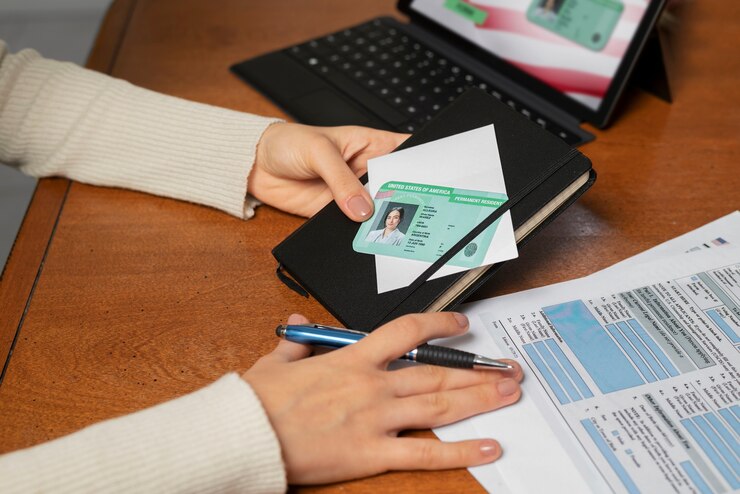
    • U.S. Permanent Resident Card
    • U.S. driver’s license
    • U.S. state-issued ID card
    • U.S. Coast Guard Merchant Mariner Credential

    Ensure that your ID is current and not expired. Expired IDs are typically not accepted.

    2. Proof of Citizenship or Immigration Status

    You need to provide documents that prove your U.S. citizenship or immigration status. This is typically satisfied by presenting one of the following:
    Birth Certificate

    • U.S. Certificate of Citizenship
    • U.S. Certificate of Naturalization
    • Consular Report of Birth Abroad

    For U.S. citizens, a birth certificate is often the simplest and most readily available document. However, if you’re a naturalized citizen, you will need to show your Certificate of Naturalization or Certificate of Citizenship.

    3. Proof of Identity

    In addition to proving your citizenship or immigration status, you also need to provide proof of your identity. This can be done using one of the following documents:

    • U.S. Passport
    • U.S. driver’s license
    • U.S. state-issued ID card
    • U.S. Department of Defense ID
    • U.S. Coast Guard Merchant Mariner Credential

    4. Fingerprinting and Background Check

    As part of the application process, you will be required to visit an enrollment center, where your fingerprints will be taken for a background check. This is a vital step in the TSA PreCheck application process.

    It’s important to note that these documents are required both for the initial TSA PreCheck application and for each use of TSA PreCheck lanes at the airport. You will need to present your identification and boarding pass at the airport, and your identity will be verified before being allowed to use the expedited security screening lane.

    Applying for TSA PreCheck

    Now that we’ve covered the required documents, let’s talk about the process of applying for TSA PreCheck. Here’s how to get started:

    1. Pre-Enrollment Online: To begin the application process, you should pre-enroll online. This involves filling out an application on the TSA PreCheck website. You can also start the process by visiting an enrollment center in person, but pre-enrollment speeds up the process.

    2. Schedule an Appointment: After pre-enrolling, you’ll need to schedule an appointment at a TSA PreCheck enrollment center. These centers are located in various cities throughout the United States. At your appointment, you’ll provide your required documents, have your fingerprints taken, and pay the application fee.

    3. Attend the Appointment: Be sure to arrive at your appointment on time and bring all necessary documents. Failure to provide the required documentation could result in a delay or denial of your application.

    4. Application Fee: The application fee for TSA PreCheck is typically around $85 for a five-year membership. You can pay this fee with a credit card, money order, or company check. The fee is non-refundable, so make sure you’re committed to the program before applying.

    5. Approval Process: After completing your appointment and submitting your application, the TSA will perform a background check and verify your information. This process usually takes a few weeks, but it can vary.

    6. Receive Your Known Traveler Number (KTN): If your application is approved, you will receive a Known Traveler Number (KTN) via mail or email. This number is essential for making the most of your TSA PreCheck benefits.

    7. Add KTN to Your Airline Reservations: Once you have your KTN, add it to your airline reservations. You can do this when booking your flight or by contacting your airline directly. This step ensures that you’re eligible for TSA PreCheck when going through security at the airport.

    How Long Does It Take to Get TSA PreCheck?

    The time it takes to get TSA PreCheck can vary, but most applicants typically receive their Known Traveler Number (KTN) within a few weeks of the in-person appointment. The background check process is thorough, and the TSA must verify your identity and eligibility. If there are any discrepancies or issues with your application, it may take longer to receive your KTN. Therefore, it’s advisable to apply well in advance of any upcoming travel plans.

    TSA PreCheck Renewal

    Once you have TSA PreCheck, it’s essential to know when and how to renew it. TSA PreCheck membership is valid for five years. About six months before your membership expires, you’ll receive a notification with instructions on how to renew. The renewal process is similar to the initial application process and involves another background check.

    When renewing your TSA PreCheck, you will need to provide updated information and may need to visit an enrollment center for a new fingerprinting session. The fee for renewal is the same as the initial application fee, which is typically around $85. After a successful renewal, you’ll receive a new KTN, and you can continue to enjoy the benefits of TSA PreCheck for another five years.

    Frequently Asked Questions

    1. Is TSA PreCheck Worth It?
    Many travelers find TSA PreCheck to be well worth the investment. It saves time, reduces

    stress, and makes the airport experience more convenient. If you travel frequently, the time and hassle saved can be significant.

    2. Is TSA PreCheck Only for U.S. Citizens?
    TSA PreCheck is open to both U.S. citizens and lawful permanent residents (green card holders). However, some citizenship and immigration status documentation requirements may differ.

    3. Can Children Use TSA PreCheck?
    Children 12 and under traveling with an eligible parent or guardian with TSA PreCheck can usually use the TSA PreCheck lane. However, they must be included on the same boarding pass as the eligible adult.

    4. Can I Use TSA PreCheck for International Travel?
    While TSA PreCheck is primarily for domestic travel, some airlines and airports offer expedited security screening for international flights through their own programs. Be sure to check with your airline and the airport for specific details.

    Conclusion

    TSA PreCheck is a valuable program for frequent travelers or anyone who wants to streamline their airport experience. To apply for TSA PreCheck, you’ll need to provide essential documents to verify your identity and eligibility. These documents include a valid photo ID, proof of citizenship or immigration status, and proof of identity.

    Once approved, you’ll receive a Known Traveler Number (KTN) that you can use to access TSA PreCheck lanes at the airport. Renewing your TSA PreCheck membership is a straightforward process, ensuring you can continue to enjoy expedited security screening for years to come. So, gather your documents, start the application process, and soon you’ll be breezing through airport security with ease.

  • What Documents Does a Child Need to Fly Within the US?

    Air travel is a fundamental part of modern life, offering unparalleled convenience and speed when it comes to traversing the vast expanse of the United States. Whether it’s a family vacation, a visit to relatives, or a school trip, children often find themselves on board planes. However, when it comes to the question of what documents a child needs to fly within the United States, parents and guardians may find themselves uncertain and overwhelmed.

    Photo: prostooleh on freepik.com

    Ensuring the safety and well-being of minors during air travel is a top priority for airlines and government authorities. In this comprehensive guide, we will explore the necessary documents and requirements for minors traveling within the United States, while referencing official sources like the Federal Aviation Administration (FAA) and reputable travel websites like Upgraded Points to provide up-to-date and reliable information.

    Comprehending the Basics

    Before delving into specific document requirements, it’s essential to understand the fundamental principles of minor travel within the United States. In most cases, minors under the age of 18 are not legally required to show identification when traveling domestically by air. Instead, airlines rely on a set of protocols and safeguards to ensure the safety and security of minor passengers.

    Typically, the airline staff will focus on matching the child with the information provided in their reservation, such as their name, age, and any special requests made by the child’s guardian. This ensures that the child is placed on the correct flight and handed over to the appropriate individual at their destination. Nevertheless, it’s advisable for parents and guardians to be aware of the procedures and documents that can facilitate a smooth and stress-free travel experience for their children.

    Traveling as an Unaccompanied Minor

    While ID requirements are relatively relaxed for minors, specific conditions apply when a child is traveling alone, without a parent or legal guardian. In such cases, the airline’s unaccompanied minor program comes into play, ensuring the child’s safety and welfare throughout their journey.

    The exact age at which a child is considered an unaccompanied minor may vary slightly between airlines but usually starts around the age of 5 to 7. Airlines have different policies and fees for unaccompanied minors, so it’s essential to check with your specific airline to understand their requirements and costs. These programs typically include:

    1. Unaccompanied Minor Service Fee: Airlines charge a fee for this service, which can range from $50 to $150 or more, depending on the airline. This fee helps cover the cost of supervising the child during the flight.

    2. Designated Check-in and Pick-up Locations: Unaccompanied minors have specific check-in and pick-up locations within the airport. Parents or guardians must escort the child to the airport and remain until the flight departs, ensuring the airline staff has all necessary information.

    3. Identification and Documentation: Even though ID requirements are less stringent for minors, it is recommended to carry a government-issued photo ID or passport for the child, if available. This is especially important for older children who may be required to show identification for activities like renting a car or checking into a hotel.

    4. Guardian’s Contact Information: It’s vital to provide the airline with the contact information of the person who will pick up the child at the destination. The guardian must present a valid photo ID and match the information provided to the airline.

    5. Safety Briefings: Children will receive a safety briefing from the flight attendants and be made aware of the procedures and personnel responsible for their care during the flight.

    6. In-Flight Supervision: The airline staff will closely monitor the child during the flight, ensuring their well-being and providing assistance as needed.

    Document Requirements for Minors

    As mentioned earlier, minors are not typically required to present identification when traveling domestically within the United States. However, having proper documentation on hand can help streamline the travel process and prevent any unnecessary complications, particularly for older children who may be asked for identification in certain situations.

    1. Birth Certificate: A copy of the child’s birth certificate is a useful document to carry, even though it’s not a formal ID. It can help confirm the child’s identity if any issues arise during travel.

    2. Government-Issued Photo ID: While not required for minors, some airlines may ask for a government-issued photo ID for children aged 16 and older. Examples include a state ID card or a passport.

    3. Passport: If available, a child’s passport can be a valuable piece of identification. Passports are universally accepted as identification and are useful for international travel as well.

    4. Parental Consent Letter: If a child is traveling with one parent or a non-legal guardian, it’s wise to carry a notarized letter from the absent parent or guardian giving permission for the child to travel.

    5. Student ID: If the child is a student, carrying a student ID can help with identification. This is particularly useful for older children who may need to verify their identity for various purposes during their trip.

    6. Health Insurance Card: While not an official form of identification, having a copy of the child’s health insurance card can be useful in case of medical emergencies.

    In general, parents and guardians should take a pragmatic approach when preparing for their child’s trip, considering the child’s age and the airline’s specific requirements. While young children may not need extensive documentation, older teens may benefit from having photo ID, especially if they plan to engage in activities that require identification.

    Additional Considerations

    1. Luggage Tag with Contact Information: Ensure that each piece of the child’s luggage has a luggage tag with the child’s name, the contact information of a parent or guardian, and the destination address. This can help reunite the child with their belongings if they get separated from their luggage.

    2. Keep Important Documents Secure: It’s crucial to keep all important documents, including birth certificates, passports, and parental consent letters, secure and easily accessible. Consider using a document holder or organizer to prevent misplacing them during travel.

    3. Review Airline Policies: Airlines may have specific policies and requirements for traveling with minors, so it’s a good idea to check the airline’s website or contact their customer service for detailed information on what is expected.

    4. Arrive Early: Arriving at the airport early is always recommended, especially when traveling with children. It allows ample time for check-in, security screening, and addressing any unexpected issues.

    5. Special Needs or Medical Conditions: If your child has special needs or medical conditions, it’s essential to communicate this with the airline in advance to ensure they can provide the necessary assistance.

    6. Cell Phones and Communication: For older children traveling with a cell phone, make sure they have a fully charged device with important contact numbers saved, including parents, guardians, and the person picking them up at their destination.

    Conclusion

    Air travel with children can be an exciting adventure and a valuable learning experience. While minors traveling within the United States are not required to present identification, parents and guardians should be well-prepared to ensure their child’s safety and minimize potential inconveniences. Understanding the airline’s policies, considering the age of the child, and carrying relevant documentation are all key factors in making the journey a smooth and pleasant one.

    Remember that requirements may vary slightly between airlines, and it’s crucial to check with your specific airline for their policies. With the right preparation, families can take to the skies with confidence, knowing that their child’s journey will be as secure and enjoyable as possible.