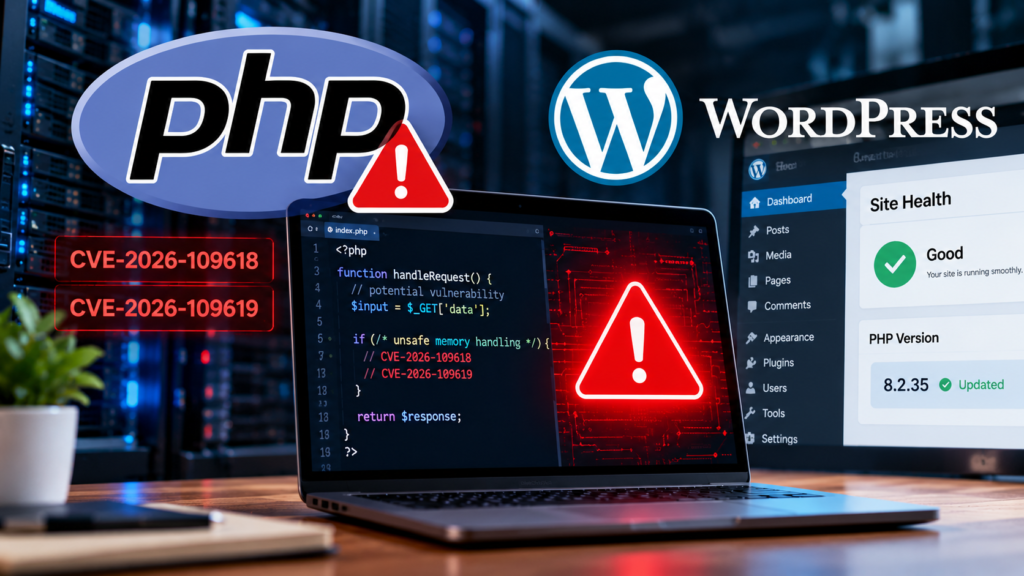
Two critical vulnerabilities in PHP have triggered an urgent security response, with website operators warned to update vulnerable installations. If you run a WordPress website, your hosting environment deserves immediate attention.
The PHP development team released emergency security updates on October 21, 2026, after researchers at Wiz discovered critical flaws in PHP’s core engine using AI-assisted security research. The vulnerabilities, tracked as CVE-2026-109618 and CVE-2026-109619, could allow unauthenticated attackers to execute code on vulnerable servers.
The risk extends beyond WordPress. PHP also powers other content management systems and web applications, including Drupal and Joomla. The UK National Cyber Security Centre has urged organizations to take immediate action.
Official sources: PHP security advisory · UK National Cyber Security Centre alert
What Are the PHP2Shell Vulnerabilities?
The two flaws, collectively referred to as PHP2Shell, affect PHP itself rather than a specific WordPress plugin or theme.
According to Wiz Research, the vulnerabilities involve memory-handling problems that can create opportunities for remote code execution or sensitive memory disclosure.
Here is what website owners should understand:
- CVE-2026-109618: A flaw involving out-of-memory handling that can leave PHP in an unsafe internal state.
- CVE-2026-109619: A use-after-free vulnerability involving memory that has already been released but may still be referenced.
Under vulnerable conditions, an attacker could exploit these flaws without first logging in. Successful exploitation could allow code execution with the privileges of the affected PHP process, potentially exposing website files, credentials, or connected systems.
The exact impact depends on the PHP version, execution environment, and server configuration.
The important distinction is that updating WordPress plugins alone does not fix a vulnerability in the underlying PHP runtime. The PHP installation itself must receive the appropriate security fix.
Why Does This Matter for WordPress Websites?
WordPress relies on PHP to execute its application code, process requests, and interact with databases. A vulnerability in the PHP runtime can therefore affect a WordPress site even when WordPress core, themes, and plugins are up to date.
The exposure is not limited to websites with outdated plugins.
Your website may still be at risk if:
- Your hosting provider runs an affected PHP version.
- Your server uses an outdated PHP runtime or package.
- You manage your own server and have not installed the security update.
- Your hosting account contains additional PHP applications you have overlooked.
Wiz reported that PHP is used by a large proportion of websites worldwide. However, that broad adoption figure does not mean every PHP website remains vulnerable: exposure depends on the installed version and whether the appropriate fix has been applied.
For website owners, the immediate priority is to establish which PHP version actually serves their site and confirm that it has been patched.
Which PHP Versions Need Updating?
The PHP team published the following fixed releases on October 21, 2026.
| PHP branch | Fixed release |
|---|---|
| PHP 8.5 | 8.5.12 |
| PHP 8.4 | 8.4.27 |
| PHP 8.3 | 8.3.36 |
| PHP 8.2 | 8.2.35 |
These are the minimum fixed upstream releases for the listed branches. If a later security release is available for your branch, use the appropriate newer release.
PHP 8.1 and older branches also require attention, but many are no longer supported by the upstream PHP project. Some operating-system vendors and hosting providers may supply security backports for older versions, so administrators should verify the specific package and vendor advisory rather than relying on the displayed version number alone.
Consult the official PHP security announcement before making changes.
How to Protect Your WordPress Website
You do not necessarily need to manage the server yourself to take action. Follow these steps in order.
1. Check Your Website’s PHP Version
In your WordPress dashboard:
- Open Tools → Site Health.
- Select the Info tab.
- Expand the Server section.
- Look for the PHP version information.
Menu labels may differ slightly depending on your WordPress version.
You can also check the PHP version in your hosting control panel. If the dashboard and hosting information appear inconsistent, ask your hosting provider to confirm the version running on the web requests that serve your site.
A version number alone is not always enough to determine exposure because some vendors backport security fixes. Ask your provider to confirm that the PHP2Shell fixes have been applied.
2. Contact Your Hosting Provider
If your hosting provider manages PHP updates, open a support ticket and ask for confirmation that your website’s runtime is protected against CVE-2026-109618 and CVE-2026-109619.
You can send this message:
Please confirm whether the PHP runtime serving my WordPress website has been updated to address CVE-2026-109618 and CVE-2026-109619 (PHP2Shell). Please also confirm the effective PHP version or patched package, and whether any additional action is required from me.
If the provider cannot confirm that your site is patched, request an urgent review.
3. Update PHP Safely
If you manage your own server, apply the security update recommended for your operating system and PHP installation.
For managed WordPress hosting, the provider may handle this process. If you can select PHP versions through a hosting control panel, do not assume that choosing a version automatically applies every security fix.
Before changing PHP versions:
- Back up your website files and database.
- Check compatibility with your WordPress version, themes, and plugins.
- Use a supported PHP branch with the relevant security patches.
- Test important pages and site functionality after the update.
- Ask your host to verify that the running PHP workers have loaded the patched runtime.
If you are uncertain how to perform the update, ask your hosting provider to do it rather than making untested server changes.
4. Check for Suspicious Activity
Patching reduces exposure, but it does not establish whether a server was previously compromised.
After securing the runtime, review your available security logs and monitoring alerts for suspicious requests, unexpected file changes, unfamiliar administrator accounts, or unusual processes.
If you find signs of compromise, involve your hosting provider or a qualified security professional. Avoid assuming that a clean-looking WordPress dashboard proves the server is safe.
5. Keep WordPress and Its Components Updated
The PHP vulnerabilities are separate from WordPress core, theme, and plugin vulnerabilities. Nevertheless, maintaining the rest of your installation remains important.
Update WordPress core, plugins, and themes from trusted sources. Remove components you no longer use, maintain reliable backups, and enable appropriate access controls.
For additional context, see our related AccessioDocs guide: PHP, Node.js and LiteLLM Security Issues: What Website Owners Need to Do.
Can a Web Application Firewall Protect Your Site?
A web application firewall (WAF) can provide an additional layer of protection by filtering malicious requests before they reach an application or server.
Cloudflare reported that it deployed protections for these PHP vulnerabilities to customers using its WAF. Read its official PHP vulnerability protection report.
However, a WAF should not be treated as a replacement for patching. Protection depends on the configuration, traffic path, and attack technique, and it may not cover every exposure.
The PHP development team has stated that updating is the only complete mitigation for the affected upstream vulnerabilities. Website owners should patch the runtime even if a WAF is enabled.
AI Helped Researchers Find the Vulnerabilities. What Does That Mean?
The incident highlights an important change in cybersecurity: AI-assisted tools can help researchers investigate complex software and identify flaws that may have escaped earlier reviews.
In this case, Wiz described using AI tools to help uncover critical vulnerabilities in PHP’s core code. The findings prompted emergency updates and a broader response from security teams and government agencies.
AI-assisted discovery has two sides. It can help defenders identify and fix weaknesses, but detailed vulnerability research can also help attackers understand how to exploit unpatched systems.
For website owners, the practical lesson is straightforward: security updates can become urgent very quickly after a vulnerability becomes public. A routine process for monitoring advisories, applying patches, and verifying changes is more reliable than waiting until a website shows signs of trouble.
What Should You Do Today?
If you manage a WordPress website, use this checklist:
-
Check which PHP version serves your website.
-
Confirm whether the relevant PHP2Shell security fixes are installed.
-
Contact your host if you cannot verify the patch status.
-
Back up your website before making changes.
-
Update the PHP runtime or have your provider do it.
-
Test the website after the update.
-
Review security logs if your site may have been exposed.
-
Keep WordPress core, themes, and plugins updated.
Do not assume your website is safe simply because WordPress and its plugins are current. The PHP runtime is a separate component and needs its own security verification.
Final Thoughts
PHP2Shell demonstrates how a vulnerability deep in the web’s underlying software can affect many different applications, including WordPress websites. AI-assisted research helped bring these flaws to light, and emergency security releases are now available for supported PHP branches.
For website owners, the most important step is to verify the security status of the PHP runtime serving their site and apply the appropriate fix immediately. If your hosting provider manages the server, ask for explicit confirmation rather than assuming that updates have already been completed.