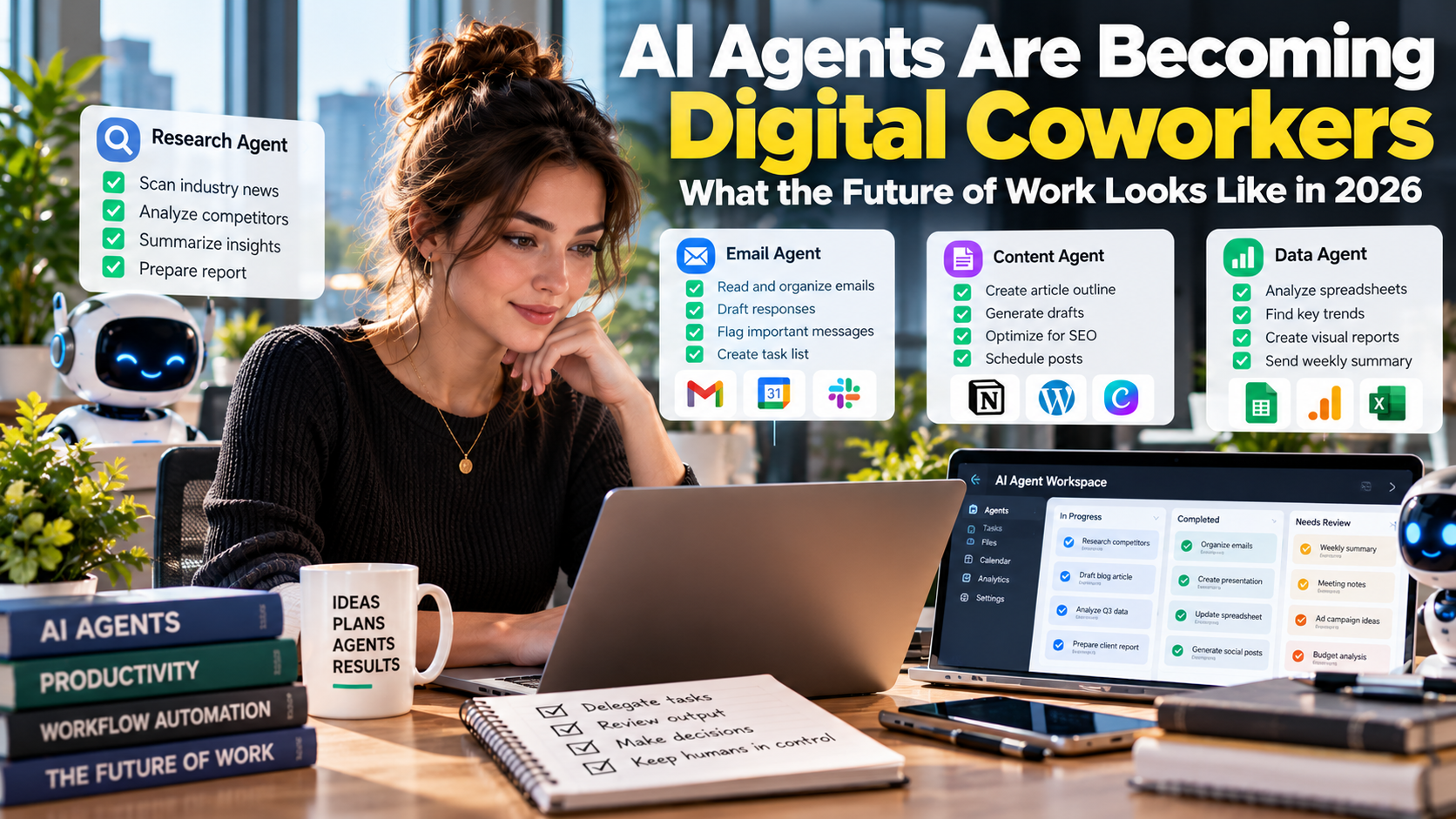
 Imagine starting your workday with an AI agent that has already reviewed your emails, prepared a meeting briefing, identified outstanding tasks, and organized information from several business applications.
While you attend a meeting, another agent researches competitors. A third prepares a report. A fourth checks a spreadsheet for inconsistencies. You review their work, correct mistakes, and decide what happens next.
This is no longer just a theoretical vision of the future.
AI agents are beginning to change how businesses organize work, delegate tasks, and manage productivity. Instead of simply answering questions, these systems can use tools, interact with software, execute multi-step workflows, and continue working toward specific objectives.
One particularly interesting example comes from Anthropic, the company behind Claude.
On October 16, 2026, Anthropic published research examining how AI is changing employment and productivity inside its own organization. One finding attracted considerable attention: by August 2026, employee-directed AI agents were working approximately six times as many hours as their human handlers.
The report also described changes in hiring, employee responsibilities, software development, sales operations, and workplace management.
These findings offer an unusually detailed look at what an AI-intensive workplace might become.
But there is an important distinction: Anthropic is an AI company with unusually advanced access to AI tools. Its experience should not automatically be treated as representative of every business.
For freelancers, professionals, and small business owners, the more useful question is this: What can we learn from how Anthropic is organizing work around AI agents, and how can we apply those lessons without building an unnecessarily complicated system?
1. What Are AI Agents, and How Are They Different From AI Assistants?
Most people have used an AI assistant such as ChatGPT or Claude to answer questions, summarize documents, write emails, or generate ideas.
An AI agent goes further.
Instead of simply generating a response, an agent can use connected tools to perform actions and complete multiple steps toward a defined objective.
Consider the difference.
Traditional AI assistant
You ask an AI assistant to summarize a collection of customer feedback. It reads the information and produces a summary for you.
AI agent
You ask an AI agent to review customer feedback, categorize complaints, identify recurring problems, update a spreadsheet, and prepare a report for your team.
The agent can carry out several connected tasks rather than stopping after generating text.
Depending on its permissions and available integrations, an AI agent may be able to:
- Read and organize emails.
- Search internal documents.
- Update spreadsheets and databases.
- Prepare meeting summaries.
- Research competitors.
- Generate reports.
- Write and test software.
- Coordinate tasks across multiple applications.
- Monitor workflows and report problems.
Some agents operate only when a person gives them an instruction. Others can run for longer periods, use multiple tools, and delegate subtasks to other agents.
The defining characteristic is not that an agent uses advanced AI. It is that the system can take a sequence of actions toward an objective.
This distinction is important because the economic value of AI increasingly comes from completed work, not simply generated answers.
2. Anthropic’s Six-to-One Finding: AI Agents Are Working More Hours Than Employees
Anthropic’s October 16 research, titled How Employment Is Changing at Anthropic, provides a detailed look at how the company has integrated AI into its internal operations.
The study examined internal employment records, AI usage telemetry, productivity indicators, employee surveys, communication patterns, hiring decisions, and interviews with 17 employees.
One of its most striking findings concerns the amount of work performed by AI agents.
By March 2026, the combined runtime of autonomous and interactive AI agents had exceeded estimated human working hours for the first time.
By August 2026, employee-directed interactive agents were working approximately six times as many hours as their human handlers.
This needs careful interpretation.
The six-to-one figure measures estimated agent working time, including inference and active tool use, with long waiting periods excluded. Human working time is estimated using employee headcount and a 40-hour workweek assumption.
It does not mean that every employee has six agents replacing six human workers. Nor does it establish that agents produce six times the amount of useful work.
Agent runtime and human productivity are different measurements.
Nevertheless, the finding illustrates how extensively AI systems can operate inside an organization when employees have access to capable models, connected tools, and established workflows.
Read the original research: Anthropic: How Employment Is Changing at Anthropic.
The report also identifies several changes in the company’s operations:
- Engineers are producing substantially more code.
- Sales representatives are closing more deals.
- Lawyers are processing more contracts.
- Finance teams are automating invoice and purchasing workflows.
- Employees are building tools to monitor and coordinate AI agents.
The important development is not simply that AI is performing individual tasks. It is becoming part of the organization’s operating structure.
3. The Biggest Change: Employees Are Becoming Managers of AI Agents
One of the most interesting findings in Anthropic’s research is that employees are increasingly shifting from performing tasks themselves to managing systems that perform those tasks.
Consider a software engineer.
Previously, an engineer might spend much of the day writing code, identifying bugs, running tests, and reviewing changes.
With coding agents, the engineer can delegate several implementation tasks simultaneously.
The employee’s responsibilities then shift toward:
- Defining the problem.
- Breaking work into smaller tasks.
- Providing context and instructions.
- Reviewing generated code.
- Checking quality and security.
- Coordinating multiple agents.
- Making architectural decisions.
The same transformation can happen in non-technical roles.
A sales representative might use an agent to draft emails, update customer records, and prepare account research.
A recruiter might use AI to identify potential candidates, organize applications, and analyze recruitment information.
A lawyer might use agents to review documents, identify potential issues, and prepare initial drafts for human examination.
The employee is not necessarily doing less work. The nature of the work is changing.
Anthropic observed that employees increasingly performed what it called meta-work: building instructions, dashboards, monitoring systems, and workflows that help agents operate effectively.
The share of employee interactive Claude sessions devoted to this type of work increased from approximately 10% in fall 2025 to 22% in spring 2026.
This suggests that managing AI systems can itself become a substantial part of a person’s job.
For professionals, this creates a new skill requirement: knowing how to delegate work to AI, evaluate its output, and coordinate multiple automated processes.
4. Human Attention Is Becoming the New Productivity Bottleneck
AI agents can generate large amounts of output, but that does not automatically mean people can use all of it.
In fact, Anthropic’s research identifies human attention as an increasingly important constraint.
The company found that approximately 80% of the time in interactive Claude sessions was spent waiting for human input rather than performing active work.
This is an important observation.
Imagine asking five agents to research different competitors, prepare reports, and suggest improvements to your business.
They might finish their tasks quickly, but you still need to:
- Review their findings.
- Check whether the information is accurate.
- Identify contradictions.
- Decide which recommendations are useful.
- Approve important actions.
- Communicate decisions to other people.
If you delegate too many tasks without a review process, you can create a new problem: an overwhelming volume of AI-generated work.
Anthropic also estimated that even non-technical employees could spend more than half their working week reading the output from interactive Claude sessions if they attempted to review everything.
The lesson is straightforward.
More AI agents do not automatically create more productivity.
Businesses need systems that organize, prioritize, and summarize agent output so humans can focus on important decisions.
For example, instead of receiving ten separate reports, an employee could receive one consolidated briefing containing:
- Completed tasks.
- Important findings.
- Outstanding questions.
- Potential errors.
- Decisions requiring approval.
The objective is to reduce unnecessary supervision without sacrificing control.
5. What Happens to Jobs When AI Agents Become Digital Coworkers?
Anthropic’s research also highlights changes in employment and hiring.
The company found that the share of junior employees in technical departments declined from 21% to 14% since early 2025.
The proportion of junior technical hires fell from 27% to 9%.
Anthropic’s researchers linked these changes partly to the growing ability of AI tools to handle technical implementation tasks.
The company also found that hiring managers increasingly emphasized autonomy, judgment, and the ability to use AI tools effectively.
This raises an important question for the wider labor market: if AI agents can handle more entry-level tasks, how will new workers gain the experience needed to develop professional skills?
Historically, junior employees learned through activities such as preparing reports, writing basic code, conducting research, organizing information, and assisting experienced colleagues.
If organizations automate too much of this work, traditional entry-level career pathways could become more difficult.
However, Anthropic’s experience should not be interpreted as proof that all businesses will reduce junior hiring.
The company operates in the AI industry, where employees have unusually direct access to advanced AI tools. Other industries have different regulations, workflows, customer requirements, and levels of AI adoption.
The broader lesson is that workers may increasingly need to demonstrate skills that AI systems cannot reliably provide on their own:
- Independent judgment.
- Problem definition.
- Critical thinking.
- Communication.
- Decision-making.
- Domain knowledge.
- AI workflow management.
- Accountability for results.
Being able to use AI is useful. Knowing when not to trust it is equally important.
6. Five Ways Small Businesses Can Use AI Agents Today
Small businesses do not need Anthropic’s internal infrastructure to benefit from agent-based workflows.
A practical starting point is to identify repetitive tasks that consume time but do not require constant human judgment.
Here are five examples.
1. Email and administrative management
An AI agent can help organize incoming messages, identify important requests, prepare draft responses, and create task summaries.
For example, a freelancer receiving dozens of client emails could use an agent to categorize messages into:
- New project inquiries.
- Existing client requests.
- Payment questions.
- Revision requests.
- Administrative notifications.
The freelancer reviews the proposed responses and approves messages before sending them.
This reduces repetitive administrative work while retaining human control over communication.
2. Research and competitor monitoring
Business owners regularly need to monitor competitors, industry developments, product launches, and market changes.
An AI agent can help collect information from approved sources, summarize developments, and organize findings into a weekly report.
For example, an ecommerce business could monitor:
- Competitor product launches.
- Changes in product pricing.
- New promotional campaigns.
- Customer feedback.
- Emerging industry trends.
The agent can prepare the research, but the business owner should verify important findings before making decisions.
3. Content planning and production
Content creators can use AI agents to organize research, develop article outlines, prepare social media drafts, and maintain editorial calendars.
A practical workflow might look like this:
- Research a topic.
- Identify credible sources.
- Prepare an article outline.
- Draft the article.
- Check factual claims.
- Prepare SEO metadata.
- Create social media variations.
- Schedule the approved content.
Human review remains essential, particularly for factual accuracy, originality, and editorial quality.
4. Customer support
An AI agent can classify customer questions, retrieve relevant information, prepare draft responses, and identify issues that need human attention.
For example, an online store might use an agent to categorize incoming requests into shipping, refunds, product questions, and technical problems.
Straightforward questions can be handled through approved automated workflows, while complaints and sensitive cases are escalated.
Do not give an agent unrestricted authority to issue refunds, change customer accounts, or make financial commitments without appropriate controls.
5. Reporting and business analysis
Small businesses often collect information from sales platforms, website analytics, advertising accounts, and spreadsheets.
An AI agent can help consolidate this information and prepare regular reports.
For example, a weekly report might summarize:
- Revenue changes.
- Best-performing products.
- Advertising expenses.
- Website traffic.
- Conversion rates.
- Unusual performance changes.
The value comes from making information easier to understand and act upon, not simply generating another dashboard.
7. How to Build Your First AI Agent Workflow
You do not need to automate an entire business immediately.
Start with one repetitive task that has a clear objective and measurable result.
For example, consider a weekly competitor research workflow.
Step 1: Define the task
Tell the agent to monitor five competitors and identify significant changes in their product offerings, pricing, and promotional activities.
Step 2: Specify approved information sources
Provide official websites, product pages, and other reliable sources.
Avoid allowing the agent to treat unverified social media claims as established facts.
Step 3: Define the output
Ask for a structured report containing:
- Competitor name.
- Observed change.
- Source link.
- Date observed.
- Potential business implication.
- Confidence or verification status.
Step 4: Establish approval rules
The agent may collect information and prepare reports, but it cannot change prices, publish content, or contact competitors.
Step 5: Review performance
After several runs, measure whether the workflow saves time and produces useful information.
If the results are unreliable, improve the instructions, sources, or review process before expanding the automation.
This approach is more sustainable than building complicated multi-agent systems before understanding the underlying business problem.
8. Tools That Can Help You Build AI Agent Workflows
Several tools make it easier to experiment with agent-based productivity.
| Tool | Main use | Suitable application |
|---|---|---|
| ChatGPT | AI assistance and connected workflows | Research, writing, analysis, and task execution |
| Claude | AI assistance and coding agents | Research, document work, and software development |
| n8n | Workflow automation | Connecting applications and automating repetitive tasks |
| Zapier | No-code application automation | Connecting business applications |
| Make | Visual automation | Building multi-step workflows |
| Microsoft Copilot | Microsoft 365 productivity | Working across supported Microsoft applications |
| Google Gemini | Google Workspace assistance | Email, documents, spreadsheets, and collaboration |
The right tool depends on your existing software and the task you want to automate.
For example, a freelancer who primarily works with Google Workspace may benefit from Gemini and connected automation tools.
A business using multiple applications may prefer n8n, Make, or Zapier to coordinate workflows.
A developer may benefit more from coding agents that can inspect projects, write code, run tests, and report changes.
Do not subscribe to every platform at once. Choose one workflow and test it with the smallest practical toolset.
9. The Risks of Treating AI Agents Like Independent Employees
AI agents can be useful, but they are not employees in the human sense.
They do not automatically understand business priorities, professional obligations, or the consequences of every action.
Giving an agent more autonomy also increases the importance of oversight.
Anthropic’s separate research on agent autonomy found that experienced users increasingly allowed agents to operate without approving every individual action, while still interrupting them when necessary.
The study also found that agents sometimes stopped to request clarification themselves.
Read Anthropic’s research on measuring AI agent autonomy in practice.
Businesses should establish several safeguards.
Limit permissions
An agent responsible for preparing reports does not need permission to transfer money, delete customer records, or change business settings.
Give each system access only to the resources required for its task.
Require approval for consequential actions
Actions involving payments, customer accounts, confidential information, publishing, or external commitments should have appropriate approval requirements.
Maintain an activity record
Businesses should be able to identify what an agent did, which information it accessed, and what changes it made.
Verify important information
AI-generated research and reports can contain incorrect information. Important claims should be checked against reliable sources.
Provide a way to stop the workflow
Employees should be able to pause, interrupt, or disable an agent when something goes wrong.
The goal is not to prevent automation. It is to make automation predictable and manageable.
10. A Practical Seven-Day Plan to Introduce AI Agents Into Your Work
If you want to experiment with AI agents, start with a simple implementation plan.
| Day | Action | Expected result |
|---|---|---|
| 1 | Identify one repetitive task | Clear automation opportunity |
| 2 | Measure how much time it currently takes | Baseline productivity measurement |
| 3 | Choose one AI tool or automation platform | Working tool selection |
| 4 | Build a basic workflow | Initial agent prototype |
| 5 | Test using real but low-risk tasks | Performance observations |
| 6 | Add approval and error-checking steps | Safer workflow |
| 7 | Compare results against the baseline | Decision on whether to continue |
Do not measure success only by how many tasks the agent completes.
Also measure:
- Time saved.
- Accuracy.
- Number of corrections required.
- Cost per completed task.
- Reliability.
- Human review time.
- Business value created.
An automation that completes 100 tasks but requires hours of correction may be less useful than a workflow that completes 20 tasks accurately.
11. What the Future of Work Could Look Like
Anthropic’s research provides a possible preview of how AI-intensive workplaces may evolve.
Employees could increasingly coordinate teams of AI agents rather than perform every implementation task themselves.
Some roles may become more focused on defining problems, managing systems, evaluating results, and making decisions.
Businesses may also reorganize how they hire, train, and distribute responsibilities.
But there are important uncertainties.
Agent runtime does not equal economic output. Increased code production does not automatically mean better software. More completed tasks do not necessarily create higher profits.
Anthropic itself reported that human attention remains a major bottleneck, even as agent activity increases.
There are also questions about the long-term impact on junior hiring, professional training, workplace communication, and employee development.
The future of work will not be determined by AI capabilities alone. It will also depend on how organizations redesign processes, establish accountability, and decide which responsibilities should remain human.
Final Thoughts: Learn to Manage AI Work, Not Just Use AI Tools
AI agents are changing the definition of workplace productivity.
The Anthropic research demonstrates what can happen when an organization integrates AI deeply into its daily operations. Employees can delegate more implementation work, generate more output, and spend a growing share of their time coordinating automated systems.
However, the six-to-one agent working-hours figure should not be confused with six times more productivity or six human jobs being replaced.
The more useful lesson is that AI adoption changes how work is organized.
For freelancers and small businesses, the opportunity is to identify repetitive tasks, delegate suitable work to AI agents, and retain human control over decisions that require judgment and accountability.
Start small. Automate one workflow. Measure the results. Improve the process before expanding it.
The professionals who benefit most from AI may not be those who use the largest number of tools. They may be the ones who know how to define work clearly, delegate it effectively, evaluate the results, and take responsibility for the outcome.
Explore more practical guides on automation, digital tools, and workplace efficiency in the Work & Productivity category on AccessioDocs.
Share this article