Artificial intelligence is making it easier to research ideas, develop content, design visuals, and build digital products. For entrepreneurs, creators, and freelancers, these tools can reduce the time required to turn an idea into something customers can use.
But making money with AI is not simply about generating files and uploading them to a marketplace. The strongest opportunities usually involve solving a specific problem, serving a clearly defined audience, and creating a product that offers more value than a generic AI output.
In this guide, we explore 25 digital products you can create with AI assistance, the customers who might buy them, and the platforms worth considering when you are ready to sell.
If you are still exploring the business model, start with our guide to 20 places to sell digital products online, which compares marketplaces, storefronts, course platforms, and other selling options.
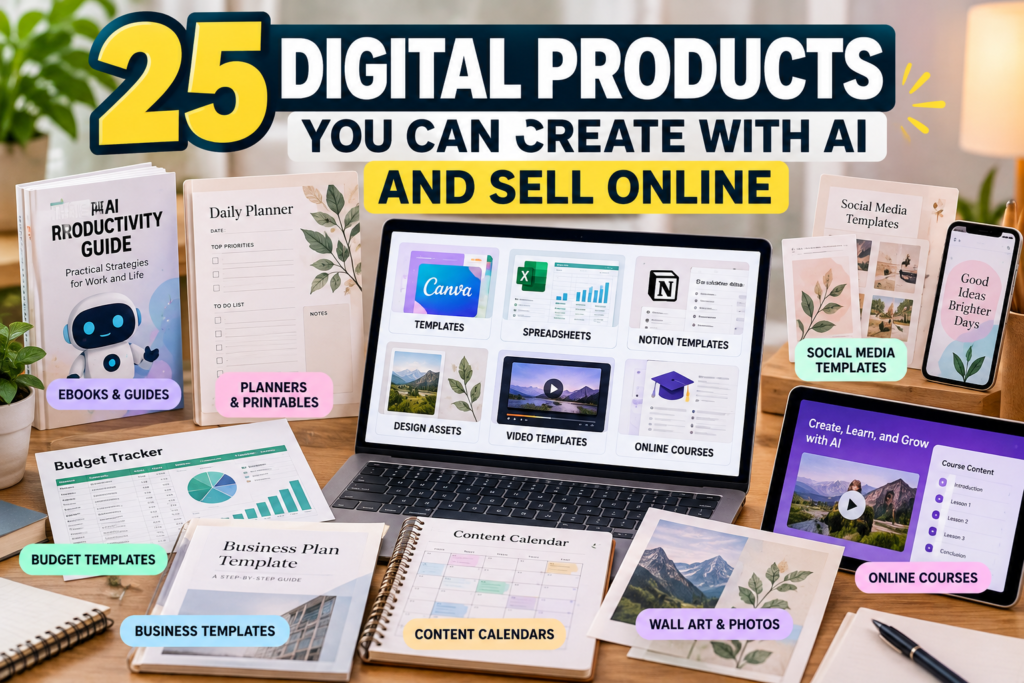
25 Digital Products You Can Create With AI
1. Ebooks and Practical Guides
Potential customers: Beginners, hobbyists, professionals, and people learning a new skill.
Ebooks are among the most accessible digital products to develop with AI assistance. You can use AI to brainstorm topics, organize chapters, improve explanations, and edit drafts.
Possible products include beginner guides, industry handbooks, hobby guides, and practical reference books.
The opportunity is to provide information that is organized, accurate, and genuinely useful. A short guide that solves a specific problem can be more valuable than a lengthy ebook filled with generic advice.
AI workflow: Research the audience, develop an outline, draft sections, verify claims, edit the writing, and design a professional PDF.
Platforms to explore: Payhip, Gumroad, and Shopify.
2. Printable Planners
Potential customers: Students, busy professionals, parents, and people organizing their daily routines.
Printable planners help customers organize tasks, schedules, goals, and personal projects.
You could create daily planners, weekly schedules, study planners, project trackers, or household organization sheets.
AI can help identify useful sections, generate planning prompts, and suggest layouts. A design tool can then turn those ideas into polished printable pages.
AI workflow: Identify a specific planning problem, develop the page structure, design the layouts, test print readability, and export a PDF.
Platforms to explore: Etsy, Payhip, and Gumroad.
3. Budgeting and Personal Finance Templates
Potential customers: Individuals managing household expenses, students, freelancers, and small business owners.
Budgeting templates can help customers track income, expenses, savings goals, subscriptions, and recurring bills.
Potential products include monthly budget planners, expense trackers, debt repayment calculators, and savings challenges.
AI can help draft instructions, suggest spreadsheet structures, and generate example formulas. You must test the calculations carefully before selling the product.
AI workflow: Define the budgeting use case, build the spreadsheet, test formulas with sample data, add clear instructions, and provide a usable template.
Platforms to explore: Etsy, Payhip, and your own ecommerce store.
4. Social Media Content Calendars
Potential customers: Small businesses, freelancers, creators, and social media managers.
Many businesses struggle to publish consistently. A content calendar gives them a repeatable structure for planning posts, campaigns, and promotions.
You could sell calendars organized by industry, such as restaurants, real estate agents, fitness businesses, online stores, or professional services.
AI can help generate content categories, campaign ideas, caption frameworks, and scheduling prompts.
AI workflow: Choose an industry, identify its recurring content needs, build a calendar, add examples, and include instructions for customization.
Platforms to explore: Payhip, Gumroad, and Etsy.
5. Canva Templates
Potential customers: Entrepreneurs, marketers, educators, creators, and small businesses.
Canva templates can include presentation slides, social media posts, promotional flyers, lead magnets, media kits, and business documents.
Instead of designing every asset from scratch, customers can customize a template to match their own brand.
AI can assist with layout concepts, headline ideas, content structure, and visual direction. Your contribution is turning those ideas into a coherent, editable design system.
Before selling, review Canva’s official guidance on creating products for sale. Canva’s content licensing rules distinguish original designs from simply reselling individual library assets, and some template uses have additional requirements.
Platforms to explore: Etsy, Creative Market, and Payhip.
6. Notion Templates
Potential customers: Students, freelancers, project managers, and productivity enthusiasts.
Notion templates provide ready-made workspaces for organizing information and managing recurring activities.
Ideas include project management dashboards, content planning systems, client trackers, study planners, and personal goal systems.
AI can help map workflows, suggest database fields, write template instructions, and create realistic examples.
The product should be more than a collection of attractive pages. It needs a logical structure that makes the customer’s work easier.
AI workflow: Identify a workflow, build the workspace, test it with sample data, document how to use it, and create a preview.
Platforms to explore: Gumroad, Payhip, and your own website.
7. Spreadsheet Tools for Small Businesses
Potential customers: Freelancers, consultants, online sellers, and small business owners.
Spreadsheets can solve practical business problems without requiring customers to subscribe to complex software.
Potential products include invoice trackers, inventory sheets, client databases, profit calculators, sales trackers, and marketing performance dashboards.
AI can help write formulas, explain spreadsheet functions, and generate sample datasets. Every formula and calculation should be tested before the product is sold.
AI workflow: Identify one recurring business problem, build a spreadsheet that addresses it, test edge cases, and provide a concise user guide.
Platforms to explore: Payhip, Gumroad, and Etsy.
8. AI-Assisted Graphic Design Bundles
Potential customers: Bloggers, marketers, website owners, and independent designers.
Graphic bundles can include original illustrations, backgrounds, icons, decorative elements, and themed visual assets.
For example, a creator might develop a coordinated collection of botanical illustrations, abstract backgrounds, or visual assets for a specific industry.
AI can help with concept exploration and initial visual production. You should curate the results, check for artifacts, maintain a consistent style, and ensure the final assets are suitable for their intended use.
Important: Confirm the commercial-use terms of the image-generation tool and any third-party assets. Avoid using protected characters, trademarks, or other people’s artwork without the necessary rights.
Platforms to explore: Creative Market, Creative Fabrica, and other suitable asset marketplaces.
9. Digital Wall Art and Posters
Potential customers: Home decorators, gift buyers, office owners, and people looking for personalized decor.
Digital wall art allows customers to purchase artwork files and print them themselves.
Possible niches include minimalist designs, abstract art, botanical illustrations, motivational typography, and themed decor collections.
AI can help explore visual concepts, but the final artwork needs careful editing, suitable resolution, and accurate previews.
AI workflow: Choose a coherent theme, produce original artwork, check image quality, prepare suitable file sizes, and explain the printing requirements.
Platforms to explore: Etsy, Shopify, and Payhip.
10. Educational Worksheets and Learning Resources
Potential customers: Tutors, educators, parents, and learners.
Educational resources can include vocabulary exercises, practice worksheets, revision sheets, activity pages, and classroom organizers.
AI can help draft questions, generate examples, and suggest different levels of difficulty. You should independently verify answer keys, factual explanations, age suitability, and alignment with the intended learning objectives.
A useful product solves a defined teaching or learning need rather than offering a large quantity of repetitive questions.
AI workflow: Define the learning objective, develop the exercises, validate the answers, test readability, and organize the materials into a coherent package.
Platforms to explore: Payhip, your own website, and education-focused marketplaces that accept your product type.
11. Original Prompt Libraries
Potential customers: Professionals, creators, and teams who repeatedly use AI tools.
A prompt library organizes tested instructions for specific workflows.
Examples include prompts for brainstorming marketing campaigns, structuring research, planning content, or improving customer communications.
The value comes from practical testing, clear explanations, and reliable results—not simply from compiling hundreds of generic prompts.
Before selecting a marketplace, check its rules. For example, Etsy’s current Creativity Standards and AI policy prohibit standalone AI prompt bundles. Other platforms may impose different restrictions.
AI workflow: Identify a repeatable use case, develop prompts, test them across realistic examples, document limitations, and organize the library by task.
Platforms to explore: Choose a storefront whose current rules permit the product, such as an appropriate direct-sales platform.
12. Website and Blog Templates
Potential customers: Bloggers, freelancers, small businesses, and website owners.
Website templates can provide a starting point for building landing pages, portfolios, blogs, and small business websites.
AI can help draft page copy, develop layout concepts, suggest calls to action, and create sample content.
Technical quality matters. Templates should be tested for responsiveness, accessibility, compatibility, and ease of customization.
AI workflow: Choose a website platform, develop an original template, test it across screen sizes, document installation, and provide support information.
Platforms to explore: Envato Market, suitable theme marketplaces, or your own website.
13. Resume and Cover Letter Templates
Potential customers: Job seekers, recent graduates, and career changers.
Resume templates and cover letter frameworks can help customers present their experience more clearly.
You could offer industry-specific layouts, editable documents, application trackers, and interview preparation worksheets.
AI can assist with layout ideas, example wording, and explanations of how to adapt a resume to a particular role. Avoid promising employment outcomes or encouraging customers to invent qualifications.
AI workflow: Research the intended audience, create editable templates, test formatting in common document editors, and provide clear customization instructions.
Platforms to explore: Etsy, Payhip, and Gumroad.
14. Business Plan and Proposal Templates
Potential customers: Freelancers, consultants, startups, and small business owners.
Many business owners need structured documents but do not want to start from a blank page.
Potential products include project proposals, service quotations, business plan outlines, client onboarding forms, and project briefs.
AI can help generate section structures, writing prompts, and example language. Financial assumptions and industry-specific claims must be reviewed rather than accepted automatically.
AI workflow: Select a business use case, build a clear document structure, include editable examples, and explain how customers should adapt the material.
Platforms to explore: Payhip, Gumroad, and Shopify.
15. Digital Checklists and Standard Operating Procedures
Potential customers: Small businesses, virtual assistants, operations managers, and freelancers.
Checklists and standard operating procedures help people perform recurring tasks consistently.
Examples include website launch checklists, content publishing workflows, client onboarding procedures, and routine administrative processes.
AI can help organize steps and identify missing sections, but the finished procedures should be tested against real workflows.
AI workflow: Choose one recurring task, document the correct process, validate the steps, and package the checklist with clear instructions.
Platforms to explore: Payhip, Gumroad, and your own website.
16. Video Editing Presets and Project Templates
Potential customers: Video creators, social media managers, and content production teams.
Video-related digital products can include editable project files, transitions, title animations, color presets, and reusable editing templates.
AI can help brainstorm creative concepts, develop storyboard ideas, and speed up some production tasks.
Your product must work with the advertised software and version. Test project files, document dependencies, and confirm that all included assets can legally be redistributed.
AI workflow: Build the asset, test it in the intended editing software, record a preview, and provide installation instructions.
Platforms to explore: Envato Market, suitable creative marketplaces, and your own storefront.
17. Stock Photography and Background Collections
Potential customers: Designers, bloggers, marketers, and businesses needing visual content.
You can create themed visual collections for presentations, websites, social media, and marketing materials.
Potential niches include workspace backgrounds, abstract textures, product mockup scenes, and seasonal visual assets.
AI can help develop visual concepts and produce images, but commercial use and marketplace acceptance depend on the tool’s terms and the platform’s policies.
For Adobe’s rules, consult its official Generative AI User Guidelines. Adobe generally permits commercial use of eligible generative outputs, subject to applicable product terms and any restrictions on particular features.
AI workflow: Choose a specific buyer use case, curate a consistent collection, check image quality, and clearly describe the files and permitted uses.
Platforms to explore: Appropriate stock marketplaces, Creative Market, and your own website.
18. Digital Invitations and Event Stationery
Potential customers: Couples, parents, event planners, and people organizing celebrations.
Digital invitations can be used for weddings, birthdays, baby showers, business events, and other occasions.
You can sell editable templates, printable invitations, matching thank-you cards, and coordinated stationery bundles.
AI can help explore visual themes, wording, and layout ideas. Dates, names, event details, typography, and file compatibility need careful review.
AI workflow: Select an event niche, create coordinated designs, test personalization options, and provide instructions for editing or printing.
Platforms to explore: Etsy, Payhip, and Shopify.
19. Children’s Activity Packs and Coloring Pages
Potential customers: Parents, teachers, homeschoolers, and childcare providers.
Activity packs can include original coloring pages, matching games, puzzles, drawing prompts, and age-appropriate learning activities.
AI can assist with brainstorming themes and creating draft illustrations or activity concepts. Human review is essential for age suitability, educational accuracy, visual quality, and safety.
Check that all illustrations and other assets are original or properly licensed. Avoid creating confusing, inappropriate, or misleading educational materials.
AI workflow: Select an age range, develop a consistent theme, review every activity, test print quality, and organize the pages into a usable bundle.
Platforms to explore: Payhip, Etsy where permitted, and your own website.
20. Industry-Specific Content Packs
Potential customers: Small businesses, niche creators, and marketing professionals.
A content pack provides ready-to-customize materials for a particular industry.
For example, a pack for real estate agents might contain social media post templates, content calendars, email frameworks, and promotional layouts.
Other possible audiences include fitness studios, restaurants, beauty businesses, and professional service providers.
AI can accelerate brainstorming and first drafts, while your research and editing make the materials relevant to the intended customer.
AI workflow: Choose one industry, identify recurring marketing needs, create coordinated assets, and provide practical customization guidance.
Platforms to explore: Payhip, Gumroad, and Shopify, subject to each platform’s current product policies.
21. Email Newsletter Templates
Potential customers: Newsletter creators, consultants, marketers, and online businesses.
Email templates can help users plan welcome sequences, product announcements, newsletters, and customer follow-ups.
You could package reusable layouts, subject line frameworks, and campaign planning worksheets.
AI can assist with drafting examples and developing alternative versions. Templates should be adaptable, readable on mobile devices, and consistent with good email marketing practices.
AI workflow: Identify a specific email use case, develop a sequence or template set, test the layouts, and include clear customization instructions.
Platforms to explore: Payhip, Gumroad, and your own website.
22. Online Course Materials and Mini-Courses
Potential customers: Professionals, learners, hobbyists, and people developing new skills.
You do not necessarily need to begin with a large course. A focused mini-course can teach one practical skill through short videos, worksheets, exercises, and supporting resources.
AI can help organize a curriculum, develop lesson outlines, and draft exercises. The instructor should verify the content and ensure that the lessons deliver the promised learning outcome.
AI workflow: Validate a topic, outline the learning objectives, create and review the lessons, and test the materials with sample learners.
Platforms to explore: Teachable, Thinkific, Podia, and Udemy, depending on the course format and business model.
23. Digital Recipe and Meal-Planning Resources
Potential customers: Busy households, meal-prep enthusiasts, and people seeking practical food organization tools.
Potential products include weekly meal planners, grocery shopping templates, recipe organizers, and kitchen inventory trackers.
AI can assist with organizing recipes, drafting shopping lists, and structuring meal-planning documents. Recipes and nutritional information should be independently checked, particularly where allergies, medical diets, or food safety are involved.
AI workflow: Choose a clearly defined audience, develop practical planning tools, test the workflow, and provide useful instructions.
Platforms to explore: Payhip, Shopify, and other suitable storefronts. Check marketplace rules carefully before selling AI-generated instructional content.
24. Digital Journals and Reflection Workbooks
Potential customers: People interested in personal organization, creative writing, and structured reflection.
Digital journals can include daily writing prompts, goal-setting worksheets, reading logs, gratitude journals, and project reflection pages.
AI can help develop prompt ideas and organize sections, while the final product should offer a coherent experience and thoughtful design.
Avoid presenting a general journal as a substitute for professional medical or mental health care.
AI workflow: Define the purpose, develop the page sequence, test usability on screen and in print, and prepare a polished downloadable file.
Platforms to explore: Etsy where permitted, Payhip, and Gumroad.
25. Digital Product Bundles
Potential customers: Buyers who want a complete solution instead of purchasing individual resources.
A bundle combines complementary products into one offer.
For example, a content creator bundle could include a social media calendar, caption templates, a campaign planner, and a performance tracking spreadsheet. A small business bundle could combine a proposal template, client onboarding checklist, and invoice tracker.
AI can help identify related resources and organize instructions, while your editorial work ensures the products function together.
AI workflow: Select one customer problem, combine complementary assets, remove unnecessary duplication, test every file, and explain exactly what the buyer receives.
Platforms to explore: Payhip, Gumroad, Shopify, and other suitable digital storefronts.
Which Digital Products Are Best for Beginners?
You do not need to create all 25 products. Start with a product that matches your existing skills, can be tested quickly, and addresses a clear customer need.
| Product type | Relative production effort | Main challenge |
|---|---|---|
| Printable planners | Low to medium | Differentiating the design |
| Resume templates | Low to medium | Quality and formatting |
| Content calendars | Low to medium | Industry relevance |
| Spreadsheet tools | Medium | Formula accuracy and usability |
| Ebooks and guides | Medium | Research, accuracy, and originality |
| Canva templates | Medium | Design quality and licensing |
| Digital asset bundles | Medium to high | Consistency and asset rights |
| Online courses | High | Teaching quality and student outcomes |
These are practical estimates, not measured averages. Actual effort depends on the complexity of the product, your experience, and the amount of testing required.
How to Choose a Product That People Will Buy
1. Start with a Specific Audience
Avoid trying to create a product for everyone. A template for independent real estate agents, for example, can address a more recognizable workflow than a generic productivity template.
Look at customer questions, online communities, competing products, and the tasks people repeatedly need to complete.
2. Validate the Problem Before Building the Product
Research search results, marketplace listings, reviews, and discussions to understand what buyers want.
Look for repeated complaints, missing features, confusing instructions, or products that fail to address a specific need.
Competition alone does not prove that a market is profitable, and a lack of competition does not necessarily mean an opportunity exists.
3. Use AI as an Assistant, Not a Substitute for Quality
AI can help you research, outline, draft, brainstorm, and edit. Your job is to evaluate the output, add relevant expertise, check factual claims, and ensure that the finished product is useful.
OpenAI’s Terms of Use state that, as between OpenAI and the user and to the extent permitted by law, the user owns the output. However, similar outputs may be generated for other users, and this does not guarantee exclusive rights or establish that every output is free of third-party rights issues.
4. Check Platform Policies Before Listing
A product that is permitted on one marketplace may be restricted on another.
For example, Etsy’s current AI creation policy requires disclosure of AI use for seller-prompted AI creations and restricts certain categories, including standalone AI prompt bundles and AI-generated functional instructions. Read the current policy before listing a product there.
Likewise, Gumroad’s Prohibited Products and Activities policy identifies products and activities that are not allowed. Its restrictions include certain AI services fulfilled outside the platform and various forms of reselling.
Check the current terms, fees, payout options, and content requirements of any platform you intend to use.
5. Launch One Product and Learn from the Results
Create a focused first product rather than building a large catalog immediately.
Publish a clear listing, show accurate previews, explain what customers receive, and promote it to a relevant audience.
Track visits, conversion rate, customer questions, refunds, and revenue after fees. Use that information to improve the product or decide whether to create another one.
How to Turn One Product into a Small Business
A single digital product can be the beginning of a broader business, but expansion should follow evidence of demand.
A practical progression is:
- Start with one useful product. Solve a clearly defined problem.
- Create a complementary product. Address the next problem the same customer encounters.
- Build a bundle. Combine related resources into a more complete solution.
- Develop an audience. Publish helpful content and, where appropriate, build an email list.
- Improve based on customer feedback. Use questions, reviews, and sales data to prioritize improvements.
For an example of how digital product sales can develop into a business, read How to Make Money With AI by Selling Digital Products: A Real Etsy Case Study. The article examines reported sales figures, which should not be interpreted as verified profit or a forecast for other sellers.
If you prefer creating video content to support a digital product business, How to Make Money With AI Videos on YouTube: A Real Case Study explores a separate model and the limitations of drawing conclusions from a single reported result.
Final Thoughts
AI creates opportunities to develop many kinds of digital products, from simple planners and templates to professional resources, creative assets, and online courses.
But the tool is only one part of the business. The more important questions are whether a real audience needs the product, whether you can deliver it well, and whether the selling platform supports your business model.
Choose one audience, create one useful product, check the relevant licensing and platform rules, and validate demand before expanding.
The goal is not to publish as many AI-generated files as possible. It is to create something people genuinely find useful enough to buy.
Share this article