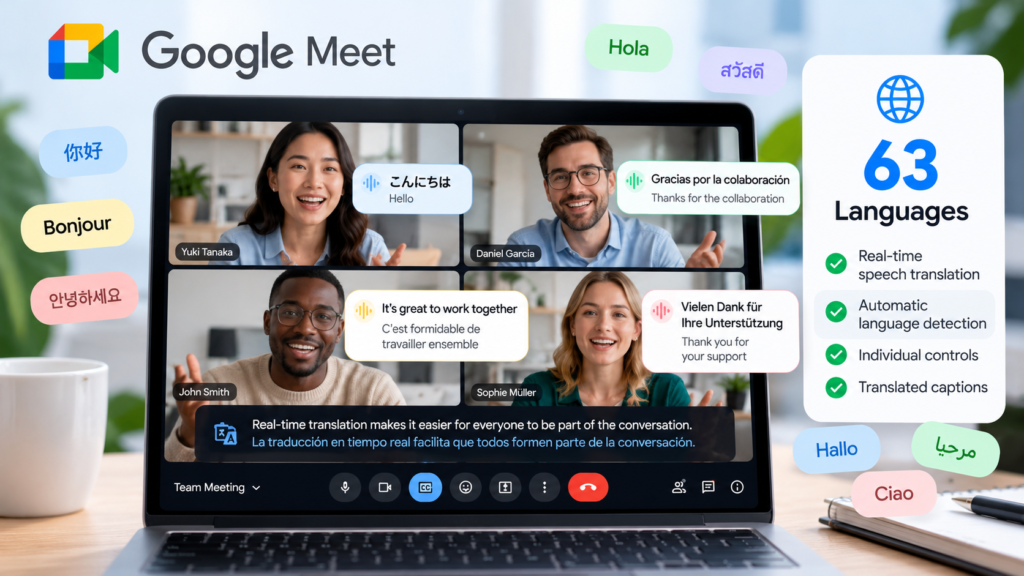
Google Meet is expanding its AI-powered speech translation feature to support 63 languages, making it easier for people in different countries to communicate during online meetings. Announced on October 22, 2026, the update introduces automatic language detection, individual translation controls, and synchronized translated captions.
Powered by Google’s Gemini 3.5 Live Translate technology, the feature allows eligible meeting participants to hear translated speech in their preferred language in near real time. It also supports meetings where multiple languages are spoken, reducing the need to configure a single language pair for everyone.
The update could be particularly useful for international businesses, remote teams, educators, and professionals who regularly work with people who speak different languages.
According to Google’s official announcement, the expanded feature is rolling out across Google Meet on the web and mobile devices.
What Is Google Meet Speech Translation?
Google Meet Speech Translation is an AI-powered feature that translates spoken conversations into another language during a meeting.
Instead of relying entirely on manual interpretation or switching between translation applications, eligible participants can enable speech translation directly within Google Meet.
The latest update expands support to 63 languages and introduces automatic detection of the spoken language. This allows the system to recognize changes in the language being spoken and provide translated audio in each listener’s preferred language.
Google says the updated experience is designed to make multilingual meetings more natural, especially when participants speak different languages during the same conversation.
For the official technical details, visit the Google Workspace Updates announcement.
What’s New in Google Meet’s 63-Language Update?
The October 2026 update introduces several improvements to the existing speech translation experience.
1. Support for 63 Languages
Google Meet now supports speech translation across 63 languages, expanding the range of conversations that eligible users can participate in.
Previously, speech translation supported a more limited set of language pairs and required meeting organizers to configure one pair for the entire meeting.
With the updated system, participants can use different supported language combinations within the same meeting, subject to feature availability and account eligibility.
This could make multilingual meetings easier to manage for international teams and organizations.
2. Automatic Spoken Language Detection
One of the most important changes is automatic language detection.
Google Meet can identify the language being spoken and translate it into each listener’s preferred language in near real time. It can also accommodate situations in which speakers switch between supported languages during a meeting.
For example, imagine an international business meeting where one participant speaks English and another speaks Spanish. A third participant who prefers French can use speech translation to follow the conversation in French, provided the relevant language settings and feature access are available.
This reduces the need to configure a separate translation pair for every participant.
3. Individual Translation Controls
The updated feature gives participants more control over their own listening experience.
Rather than relying entirely on a meeting-wide translation configuration, each participant can enable speech translation for themselves using the translation control in the meeting toolbar.
Participants can also configure additional languages they already understand so those languages are not translated unnecessarily.
This approach is useful for multilingual meetings where attendees have different language preferences.
4. Synchronized Translated Captions
Google Meet also provides translated captions synchronized with the translated audio when speech translation is active.
Captions give participants another way to follow the conversation, particularly when audio is difficult to hear or when they want to confirm what was said.
However, automated captions and translations may still contain errors, especially when speakers use unfamiliar terminology, speak quickly, or have difficult-to-recognize accents.
For important business discussions, participants should confirm critical details rather than relying exclusively on automated translation.
How to Use Speech Translation in Google Meet
Eligible participants can enable speech translation during a Google Meet call. The exact interface may vary depending on the device and the current rollout.
Step 1: Check Your Account Eligibility
Speech translation is available through supported Google Workspace and Google AI plans.
If you use a work or school account, your administrator may need to enable the relevant Gemini settings for Google Meet.
Check Google’s official Help Center for the latest availability and account requirements.
Step 2: Join a Google Meet Meeting
Open Google Meet on your computer or mobile device and join a meeting.
The feature is available across the web and the Android and iOS applications, although visibility may depend on the rollout schedule and application version.
Step 3: Find the Speech Translation Control
During the meeting, look for the speech translation control in the meeting toolbar.
Select the translation option if it is available to your account.
Google states that speech translation is turned off by default at the start of a meeting for end users, who can enable it individually during the call.
Step 4: Select Your Preferred Languages
Configure the language preferences available in the interface.
The system can detect supported spoken languages automatically and translate them into the listener’s preferred language.
You may also configure additional languages you already understand so that they are not translated.
Step 5: Listen to the Translation and Follow the Captions
Once speech translation is active, listen to the translated audio and follow the synchronized captions when needed.
For meetings involving financial figures, legal terms, contractual commitments, or other important information, confirm the original wording whenever accuracy matters.
If the translation option is missing, check your account eligibility, administrator settings, application version, and rollout status.
Which Google Accounts Support Speech Translation?
Google lists the following eligible plans for the expanded feature:
- Google Workspace Business Standard and Business Plus.
- Google Workspace Enterprise Standard and Enterprise Plus.
- Google Workspace Frontline Plus.
- Google AI Pro and Google AI Ultra.
- Google AI Pro for Education.
- Eligible AI Expanded Access and AI Ultra Access offerings.
The feature’s availability is not identical across all Google accounts.
When a meeting is organized by an eligible account, other participants, including guests from different domains, can also access speech translation where supported. In direct one-to-one calls, both participants can use the feature if either person has an eligible plan.
Organizations should confirm their subscription and administrator settings before expecting the feature to be available to every employee.
For current requirements, consult the official Google Workspace announcement.
How Long Can Google Meet Translate a Meeting?
Speech translation has different duration limits depending on the plan.
| Eligible plan category | Maximum duration per meeting |
|---|---|
| Eligible base Google Workspace plans | Up to 90 minutes |
| Google AI Pro | Up to 90 minutes |
| AI Expanded Access | Up to 8 hours |
| AI Ultra Access | Up to 8 hours |
| Google AI Ultra | Up to 8 hours |
These are the limits specified in Google’s announcement for the updated feature. Availability and limits may change, so users should verify the latest official documentation before planning lengthy meetings.
What Are the Limitations?
Although the expanded language support is a significant improvement, Google Meet Speech Translation does not work in every meeting scenario.
Feature access is restricted. Users need an eligible account or must participate in a meeting that meets Google’s access requirements.
The rollout is gradual. Google announced that Rapid Release domains would begin receiving the update on October 22, 2026, with full rollout expected within one to three days. Scheduled Release domains were scheduled to begin rollout on November 2, 2026, with visibility taking up to 15 days.
Some meeting types are unsupported. Google lists live streams, meeting recordings, client-side encrypted meetings, dial-in or third-party interoperability calls, and meetings using adaptive audio among the unsupported scenarios.
Conference room hardware has limitations. Participants using Google Meet hardware can listen to translated speech from remote participants, but speech originating from the room hardware will not be translated for others.
Translation is not guaranteed to be perfect. Automated translation can misunderstand names, technical terms, context, and expressions. Human interpretation may still be necessary for high-stakes conversations.
Regional and age restrictions may apply. Not every user or location will necessarily have access to the feature.
For the complete and current list of limitations, see Google’s official speech translation announcement.
Is Google Meet Speech Translation Safe to Use?
Google states that users control whether their speech is translated for others and can change their preferences in Meet settings.
The company also says it does not store voice data or train its models on users’ voices for this feature.
Nevertheless, organizations should follow their own privacy and confidentiality requirements when conducting meetings involving sensitive information.
Before using AI translation for confidential business discussions, review the applicable organizational policies and the relevant Google Workspace privacy documentation.
What Does This Update Mean for Businesses?
The expansion to 63 languages could make multilingual collaboration easier for businesses that operate across countries.
International teams may be able to communicate with fewer language barriers, while remote workers can follow discussions without relying exclusively on separate translation tools.
The individual translation controls are particularly useful because participants do not all need to share the same preferred language.
For organizations that already use Google Workspace, the feature may also reduce the friction of introducing translation into existing meeting workflows.
However, companies should test translation quality with their actual languages, accents, terminology, and meeting conditions before making it a standard part of important business processes.
Google Meet Speech Translation vs. Traditional Translation Tools
Traditional translation tools often require users to switch applications, select language pairs manually, or depend on separate transcription workflows.
Google Meet’s updated feature integrates speech translation into the meeting experience itself.
| Capability | Google Meet Speech Translation | Traditional translation workflow |
|---|---|---|
| Integrated into a video meeting | Yes | Depends on the tool |
| Automatic spoken language detection | Supported | Depends on the tool |
| Multiple language preferences in one meeting | Supported for eligible users | Depends on the tool |
| Synchronized translated captions | Supported | Depends on the tool |
| Available to every account | No | Varies |
The main advantage is convenience. Users can access translation within their meeting instead of managing a separate workflow.
That does not mean Google Meet will always be more accurate or suitable than a dedicated translation service. The best option depends on the languages involved, the importance of the discussion, and the available features.
Final Thoughts
Google Meet’s expansion to 63 supported languages represents a meaningful improvement in AI-powered communication. Automatic language detection, individual translation controls, and synchronized captions can make multilingual meetings easier to follow.
The feature could be especially useful for international businesses, distributed teams, educators, and professionals who regularly collaborate across language barriers.
However, users should check account eligibility, meeting duration limits, and unsupported scenarios before relying on it. Automated translation is a useful aid, but important conversations still require careful verification.
To learn more about the rollout and technical details, read Google’s official announcement about real-time speech translation in Google Meet and visit the Google Meet Help Center.